Category: Uncategorized

  • LMR-400 vs RG8X Coax Cable: Which Is Best for Your Radio Setup?

    LMR-400 vs RG8X Coax Cable: Which Is Best for Your Radio Setup?

    Introduction

    Choosing the right coax cable for your radio system can make a massive difference in signal strength, clarity, and overall performance. Among HAM and GMRS operators, the debate between LMR-400 vs RG8X coax cable is one of the most common.

    In this guide, we’ll break down the real-world differences between LMR-400 and RG8X, including performance, durability, cost, and ideal use cases — so you can confidently choose the best coax cable for your setup.


    What Is LMR-400 Coax Cable?

    LMR-400 is a low-loss coaxial cable designed for high-performance radio applications. It’s thicker and more rugged than most standard cables, which helps dramatically reduce signal loss — especially over long distances.

    Key Features of LMR-400

    • Extremely low signal loss
    • Ideal for long cable runs
    • Handles higher power levels
    • Weather-resistant for outdoor installations
    LMR-400 coax cable for HAM and GMRS radio installations

    What Is RG8X Coax Cable?

    RG8X is a compact and flexible coax cable that’s popular for mobile and portable radio setups. While it has slightly more signal loss than LMR-400, it’s much easier to route and install.

    Key Features of RG8X

    • Lightweight and flexible
    • Easier for tight spaces
    • More budget-friendly
    • Perfect for shorter cable runs
    RG8X coax cable for mobile and portable radio setups

    LMR-400 vs RG8X: Side-by-Side Comparison

    FeatureLMR-400RG8X
    Signal LossVery LowModerate
    Cable ThicknessThickThin
    FlexibilityModerateHigh
    Best UseLong runs, base stationsShort runs, mobile setups
    PriceHigherLower
    DurabilityExcellentGood

    When comparing LMR-400 vs RG8X coax cable, the biggest deciding factor is distance. The longer your run, the more LMR-400 shines.


    Which Coax Cable Should You Choose?

    Choose LMR-400 if you:

    • Run cables 50 feet or longer
    • Want maximum signal efficiency
    • Have a base station or rooftop antenna
    • Use higher-power radios

    👉 Recommended LMR-400 Cable:
    Buy on BridgeCom Systemshttps://www.bridgecomsystems.com/?ref=TheRadioOpBox


    Choose RG8X if you:

    • Need a flexible cable for tight routing
    • Have a portable or mobile setup
    • Want a budget-friendly option
    • Run cables under 50 feet

    👉 Recommended RG8X Cable:
    Buy on Amazon– https://amzn.to/49FJgXC


    Pro Tip from RadioOpBox

    No matter which coax you choose, always pair it with high-quality connectors and inspect them regularly. A poorly crimped or corroded connector can cancel out the performance of even the best coax cable.

    For best results:

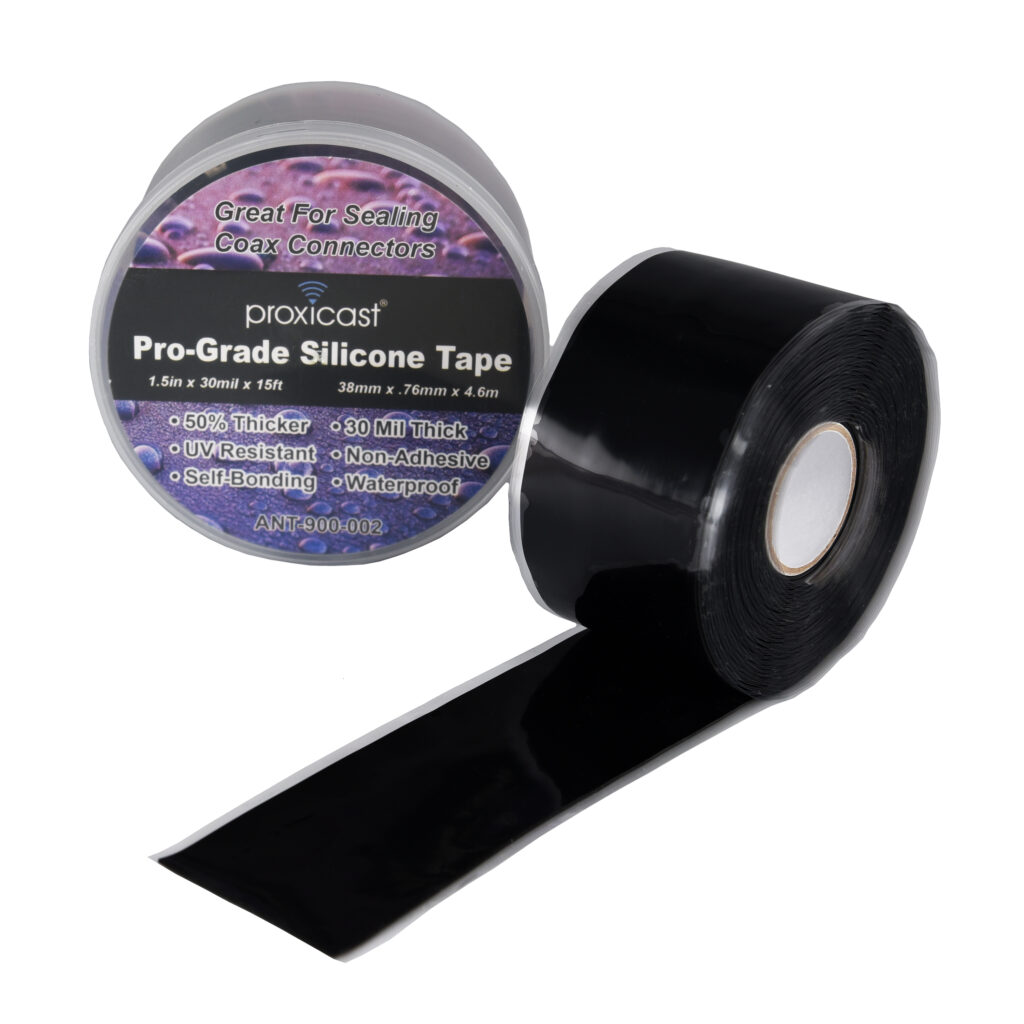
    • Use weatherproof connectors outdoors
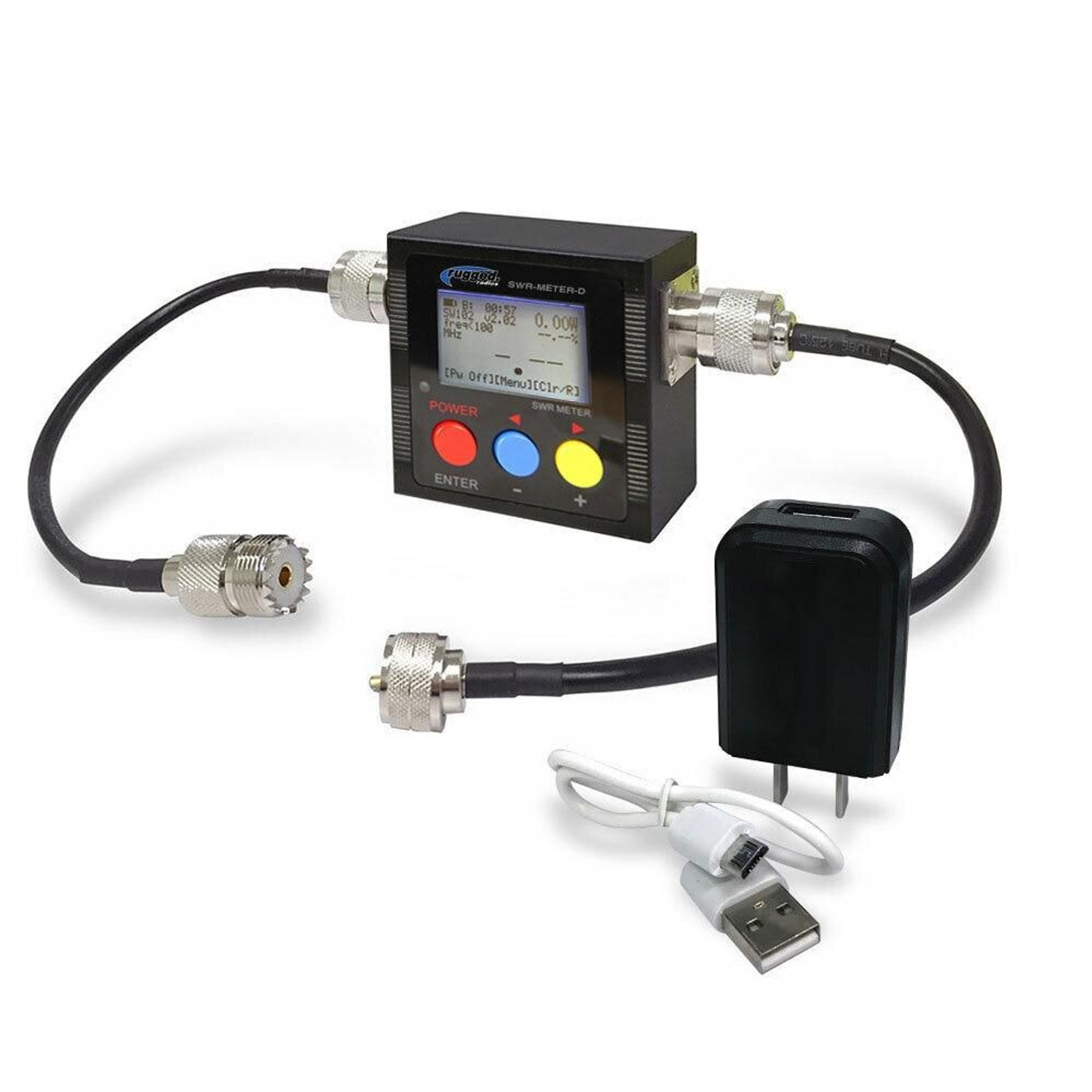
    • Check SWR after installation
    • Replace damaged coax immediately

    🔗 Internal Resource:
    How to Build the Perfect Portable Radio Setup
    https://radioopbox.com/portable-radio-setup-guide


    Real-World Use Cases: Choosing the Right Coax in the Field

    When comparing LMR-400 vs RG8X coax cable, specs only tell part of the story. Real-world installations often come down to how and where your radio system is actually used.

    Base Station Example

    If you’re running a home base station with the antenna mounted on a roof or tower, your coax run may easily exceed 50–100 feet. In this scenario, LMR-400 is the clear winner because its low-loss design preserves more of your transmitted and received signal — especially important for both ham and GMRS operators working distant repeaters.

    Mobile & Portable Setup Example

    For mobile rigs, go-boxes, or portable field stations, flexibility and ease of routing matter more than ultra-low loss. That’s where RG8X shines. Its lighter weight makes it perfect for temporary setups, vehicle installs, and quick-deploy radio kits where runs stay short.

    Budget vs Performance

    • If performance is your top priority → LMR-400
    • If convenience and cost matter more → RG8X

    Matching the coax to your real operating environment ensures you get the best results without overspending or overbuilding your setup.


    Why This Matters for ham & GMRS Operators

    For both ham radio enthusiasts and GMRS users, coax cable is often the most overlooked part of a radio system. Many signal issues blamed on antennas or radios actually come from:

    • Excessive coax loss
    • Poor connector quality
    • Wrong cable choice for the run length

    By choosing the right cable from the start, you improve:

    Overall system reliability

    Transmit efficiency

    Receive sensitivity


    Conclusion

    Both LMR-400 and RG8X coax cables are excellent choices for HAM and GMRS radios — when used in the right situation.

    If you want maximum performance over distance, go with LMR-400.
    If you need flexibility and affordability, RG8X is the smart pick.

    Either way, choosing the right coax cable ensures you get the most out of your radio investment.


    📢 Affiliate Disclosure

    Some links in this article are affiliate links. This means RadioOpBox may earn a small commission if you purchase through them — at no extra cost to you. These commissions help support our website, content creation, and community resources. We only recommend products we genuinely use and trust in real-world radio setups.

  • Winter Field Day 2026 HAM: Complete Guide for Amateur Radio Operators

    Winter Field Day 2026 HAM: Complete Guide for Amateur Radio Operators

    By RadioOpBox | Updated January 2026

    Winter Field Day 2026 HAM is an exciting annual event for amateur radio enthusiasts to test their skills, prepare for emergencies, and enjoy outdoor radio operations in winter conditions. Whether you’re a beginner or an experienced HAM operator, this guide will help you understand what Winter Field Day is, why it matters, and how to get ready for success.

    3878cb62 f631 462d b58e 6f68b39ba775

    What is Winter Field Day 2026 HAM?

    Winter Field Day (WFD) is a nationwide event where HAM operators set up temporary outdoor stations during the winter. The goal is to simulate emergency communication situations while operating in cold-weather conditions. Unlike traditional contests, WFD emphasizes preparedness, skill-building, and teamwork.

    about 1

    Who Can Participate?

    • Licensed HAM radio operators of all classes
    • Clubs or groups participating as a team
    • Families and beginners interested in field operations

    Participation is open to anyone with a HAM license. Operators can join solo, as part of a club, or in small groups. Even newcomers can have a meaningful experience with basic preparation and guidance.

    Why Winter Field Day 2026 HAM is Important

    Winter Field Day is more than a fun event—it’s an educational and preparedness exercise. Key benefits for HAM operators include:

    • Emergency Preparedness: Practice setting up stations in winter conditions to simulate disaster scenarios.
    • HAM Skills Development: Improve antenna deployment, power management, and on-the-air communication techniques.
    • Community Engagement: Connect with fellow HAM operators, share knowledge, and participate in teamwork challenges.
    • Fun & Challenge: Operate in the cold outdoors and enjoy a rewarding experience while testing your radio skills.
    about 2

    Preparing for Winter Field Day 2026 HAM

    Essential HAM Gear

    • Portable HAM radio – Check on Amazon
    • Power source (battery or solar)
    • Cold-weather antennas – BridgeCom Systems
    • Warm clothing, gloves, and weatherproof shelter
    • Logging tools (software or notebook)

    Operating Tips for HAM Operators

    1. Scout your operating location for safety and signal strength.
    2. Test your equipment before heading out.
    3. Bring spare batteries, connectors, and coax.
    4. Plan for emergency communication scenarios and practice logging contacts efficiently.

    Winter Field Day 2026 HAM Categories & Scoring

    Operators can participate in different categories based on:

    • Number of operators (Single, Multi-Op)
    • Power source (Battery, Generator, Solar)
    • Operating location (Indoor, Outdoor, Portable)

    Scoring is based on total contacts, category multipliers, and bonus points for emergency preparedness activities. Visit the official Winter Field Day website for detailed rules and updates.

    Recommended HAM Gear for Winter Field Day 2026

    To ensure your WFD 2026 HAM setup is ready, consider these trusted sources:

    Join the HAM Community During Winter Field Day

    Winter Field Day 2026 HAM is an opportunity to connect with fellow operators. Share your setup, tips, and experiences on social media or local HAM clubs. Need a suggestion for a good group? Check out Ham Radio For Beginners 2.0 on FB!

    20211221 fs onf winterfieldday 002 1

    Conclusion

    Winter Field Day 2026 HAM is a chance for amateur radio operators to sharpen skills, prepare for emergencies, and enjoy the outdoors. Whether operating solo or with a club, the key is preparation, gear readiness, and community engagement. Get ready and make your WFD experience memorable!

    Check out the recommended gear above and start preparing your HAM setup today!


    Affiliate Disclosure

    Some links in this article are affiliate links. If you purchase through them, RadioOpBox may earn a small commission at no extra cost to you. We only recommend products we trust to help HAM operators prepare for events like Winter Field Day 2026.

  • Building a Portable Field-Station: HAM & GMRS Setup for On-the-Go Ops

    Building a Portable Field-Station: HAM & GMRS Setup for On-the-Go Ops


    Whether you’re operating from a campsite, supporting emergency communications, or setting up for a field day event, having a portable field station can turn any location into a reliable communications hub.

    This guide walks you through building a practical, dependable HAM & GMRS field station you can deploy anywhere.


    Why Every Operator Needs a Portable Field Station

    A portable setup gives you:

    • Communication when infrastructure fails
    • Flexibility for outdoor operations
    • Rapid deployment during emergencies
    • A testbed for new gear
    • Confidence in your preparedness

    Whether you’re a licensed HAM operator or a GMRS user, mobility = reliability.


    Core Components of a Field-Ready Radio Station

    1. The Radio

    Choose based on your mission:

    • Handheld radios for ultra-light ops
    • Mobile radios for stronger output
    • Dual-band units for maximum flexibility

    Look for radios that support:
    ✔ External antennas
    ✔ Programming cables
    ✔ Accessory mics or headsets


    2. Portable Power Solutions

    Power is the lifeline of any field station.

    Best options include:

    • High-capacity power banks
    • LiFePO4 batteries
    • Solar panels for extended ops
    • 12V adapters for mobile use

    Pro Tip: Always carry redundant power — one is none, two is one.


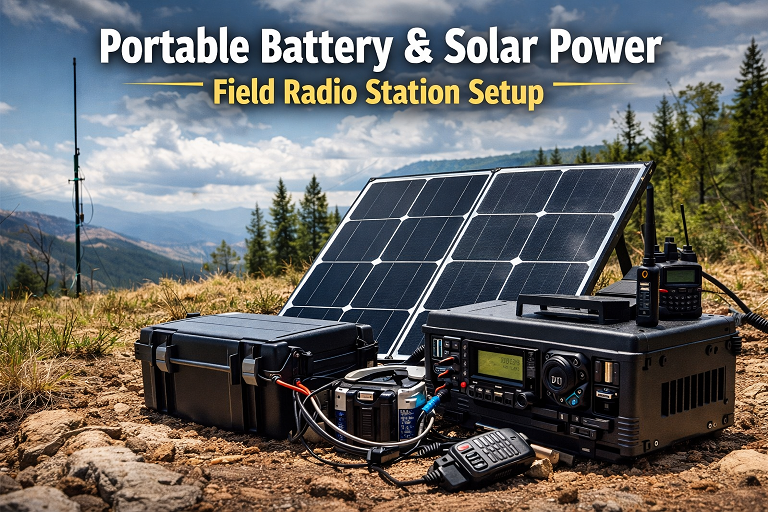
    Portable battery and solar power setup for field radio station

    Antennas: The Real Game Changer

    A great antenna can outperform a powerful radio.

    • Roll-up J-pole antennas
    • Telescoping whips
    • Magnetic-mount vehicle antennas
    • Compact Yagi antennas for directional ops

    Always pack:

    • Extra coax
    • Rope or paracord
    • Lightweight mast or throw line

    Building Your Field Kit Bag

    A well-organized kit saves time and stress.

    Must-Have Accessories

    • Programming cables
    • Spare batteries
    • Headsets or PTT mics
    • Waterproof notebook
    • Cable ties & Velcro straps
    • Multitool
    • Flashlight or headlamp

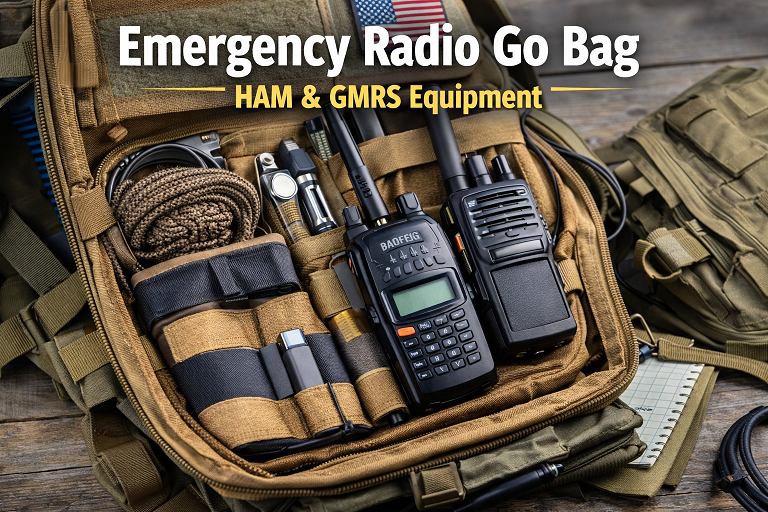
    Emergency radio go bag with HAM and GMRS equipment

    HAM vs GMRS Field Ops: What’s Different?

    HAM Field Operations

    • Long-range communication
    • Digital modes & APRS
    • Emergency service coordination
    • Field Day & POTA activations

    GMRS Field Operations

    • Convoy and trail comms
    • Family & group coordination
    • Event and volunteer ops
    • Local emergency support

    Both benefit from the same portable station philosophy — adaptability and reliability.


    How Radio Op Box Helps You Build Faster

    Building a field station from scratch can get expensive and confusing. Radio Op Box simplifies the process by delivering:

    • Field-tested accessories
    • Power and antenna upgrades
    • Gear you didn’t know you needed (but will love)
    • Operator-focused guides

    Every box helps strengthen your mobile and emergency setup without wasting money on filler gear.


    We only recommend brands we trust and use in real-world operations:

    BridgeCom Systems

    Professional radios, training, and accessories
    👉 https://www.bridgecomsystems.com/?ref=TheRadioOpBox

    Baofeng Tech

    Reliable and budget-friendly radios
    👉 https://baofengtech.com/ref/Radioopbox/

    TIDRADIO

    Innovative accessories and programming tools
    👉 https://tidradio.com/?ref=RadioOpBox


    Field Station Setup Checklist

    Before you deploy, confirm you have:

    • ✅ Radio programmed and tested
    • ✅ Primary & backup power
    • ✅ Antenna + spare coax
    • ✅ Headset or speaker mic
    • ✅ Weather protection
    • ✅ Printed frequency list
    • ✅ Emergency contact info

    Prepared operators communicate better — and safer.


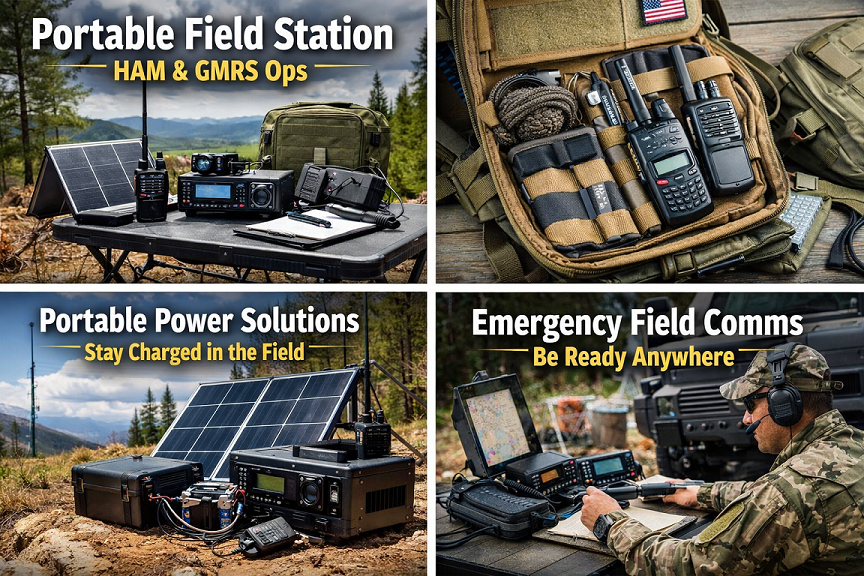
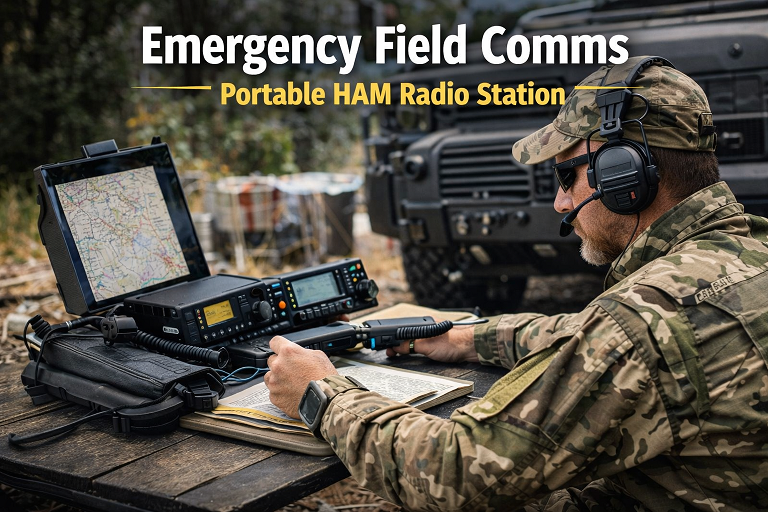
    Emergency field communications setup using portable HAM radio station

    Radio Op Box content is built on:

    • Experience: Real-world operator testing
    • Expertise: HAM & GMRS gear knowledge
    • Authority: Trusted industry partners
    • Trust: Honest reviews and transparent recommendations

    We don’t promote gear we wouldn’t use ourselves.


    Final Thoughts

    A portable field station turns you from a casual operator into a ready-anywhere communicator. Whether you’re supporting your community, exploring the outdoors, or preparing for emergencies, the right setup makes all the difference.

    With the right planning — and the right gear — your station can go wherever you do.


    Affiliate Disclosure

    Some links in this article are affiliate links. This means we may earn a small commission at no additional cost to you if you choose to make a purchase through them. We only recommend products and services we trust and use ourselves. Your support helps keep Radio Op Box running and allows us to continue delivering valuable content to the radio community.

  • Grid-Out Communications: Why Your Radio Gear Becomes Critical When the Internet Fails

    Grid-Out Communications: Why Your Radio Gear Becomes Critical When the Internet Fails


    Grid-out communications are more than just a concept — they’re a lifeline when power, internet, and cell networks fail. You’re a radio enthusiast, and you know how dependent we are on the grid: WiFi, cell towers, and internet infrastructure. When it falters, those familiar systems go silent. In a true grid-out scenario, your radio gear transforms from a hobby into essential communication.

    Here at RadioOpBox, I’ve seen firsthand the difference between those who are prepared and those who aren’t. This guide explores why grid-out communications using HAM, GMRS, CB, and FRS radios are critical — and what you need to do to make them work for you.


    Why Internet & Cell Networks Fail During Grid-Out

    Grid‑Out Communications: How HAM, GMRS & More Save You
    Grid‑Out Communications: How HAM, GMRS & More Save You

    Modern communications rely heavily on electricity, network backhaul, and infrastructure. When the grid takes a hit — due to extreme weather, cyberattacks, or cascading failures — you often lose:

    • Power to your home and cell tower backup systems
    • Internet backhaul and routing
    • Cell/ISP infrastructure

    In that moment, radios you control become your primary grid-out communications tool. If you’ve read our guide on Preparing Your HAM Station for Severe Weather, you know how fragile infrastructure can be.


    Recent Grid-Out Scenarios in the U.S.

    Even in modern America, the grid isn’t invincible. Here are a few examples from the past few years:

    • Hurricane Ian (2022, Florida): Massive power outages left thousands without electricity or internet for days. HAM and GMRS operators provided critical communications for emergency crews and neighbors.
    • Winter Storm Uri (2021, Texas): Rolling blackouts and downed cell networks made it difficult to coordinate relief efforts; local HAM networks were essential for reporting status and checking on isolated communities.
    • Cybersecurity & Infrastructure Alerts (various states, 2023-2024): Power and network disruptions caused temporary outages in some regions, highlighting vulnerabilities in the grid and the importance of off-grid communications.
    • California Wildfires (2020-2023): Evacuations and downed power lines left many without connectivity; amateur radio operators assisted with check-ins and emergency coordination.

    These real-world events show why having a personal radio plan and gear ready isn’t just prepper hype — it’s practical, proven, and lifesaving.


    Key Radio Options for Grid-Out Communications

    Here’s a breakdown of the most reliable options for grid-out communications:

    HAM (Amateur Radio)

    • Requires a license but provides long-range, reliable communication when everything else fails.
    • Operates independently of the commercial grid.
    • Ideal for emergency and community coordination.

    GMRS (General Mobile Radio Service)

    • Higher-power handhelds and vehicle radios.
    • Great for family and neighborhood grid-out communications when phones go dark.

    CB (Citizens Band Radio)

    • License-free in many cases.
    • Effective for local communication during emergencies.

    FRS (Family Radio Service)

    • Low-power, short-range radios.
    • Perfect for household or property coordination when the grid is down.

    Satellite / Off-Grid Tools

    • Optional higher-cost, higher-complexity solution for long-range communications.

    Why HAM Comes First (Trust & Flexibility)

    When preparing for grid-out communications, HAM radio should be your priority:

    • Long-distance reach: Communicate beyond your neighborhood with a proper antenna.
    • Independent infrastructure: Can run on batteries, solar, or generator power.
    • Community & expertise: HAM operators support emergency networks like ARES and RACES, providing real-world emergency experience.

    For more, see our article: HAM vs GMRS: Which Should You Prioritize?


    GMRS, CB & “Short-Range” Backup Systems

    Practical backups complement your grid-out communications plan:

    • GMRS: Vehicle and neighborhood communication, several miles range. Example: TIDRADIO TD-H3
    • CB: Simple, reliable, license-light option. Example: Amazon CB Radios
    • FRS: Short-range, family or property communication. Example: Amazon FRS Radios

    “If your reliable comms plan involves slightly longer ranges, say 0–10 miles… then maybe, just maybe, CB will work for you…”


    Practical Steps to Prepare Your Grid-Out Communications Plan

    1. Get your license — At minimum, HAM Technician; consider GMRS too.
    2. Select your gear — Transceiver, antenna, and power backup.
    3. Ensure power backup — Batteries, solar, or generator power are essential.
    4. Define communication protocols — Set frequencies, channels, and check-in schedules.
    5. Train and practice — Participate in nets, drills, and test your equipment and power backups.
    6. Coordinate with your community — Share antennas, power solutions, and communication plans.

    Example Scenario: Internet Down

    Imagine a storm knocks out power, cell towers fail, and the internet is dark:

    1. Fire up your HAM transceiver, check local nets, and send status: “All clear, power out, need assistance.”
    2. Use GMRS or CB to check on neighbors: “I’m good, you okay?”
    3. Use FRS for family coordination: “Go to safe location, rotate power supplies.”
    4. Keep radios powered with batteries, solar, or generator.
    5. Use paper contact lists and pre-defined meeting points if digital tools fail completely.

    Ready to set up your grid-out communications plan? These are trusted options:


    Why This Matters for RadioOpBox Readers

    You’re invested in radios, frequencies, and prepping. A grid-out communications plan isn’t far-fetched — it’s where your knowledge and gear pay off. Use what you have, build what’s missing, coordinate with your community — that’s how you stay connected when the internet fails.


    Conclusion

    A grid-down scenario doesn’t have to leave you powerless. HAM, GMRS, CB, and FRS radios, combined with proper training, power backup, and a communication plan, let you maintain connectivity even when the internet and cell networks fail. Start small — even a single handheld radio can make a difference. Expand your setup, practice, and coordinate with your community for maximum preparedness.

    Takeaway: Preparing now ensures you’re not scrambling in a blackout. Radios aren’t just hobbies — they’re your lifeline.


    Affiliate Disclosure

    Some of the links in this post are affiliate links. If you purchase through them, we may earn a small commission at no additional cost to you. This helps support RadioOpBox and allows us to keep producing high-quality guides. We only link to products we personally use or trust.


    Summary & Call to Action

    When the internet goes dark, cell coverage drops, or the power grid lags — the radio operator remains.

    Action list:

    • Get your HAM/GMRS license.
    • Audit current comms gear: what works, what’s missing?
    • Build backup power for your radios.
    • Join a local net, coordinate with your community, run drills.
    • Share this article with your prepping/ham group.

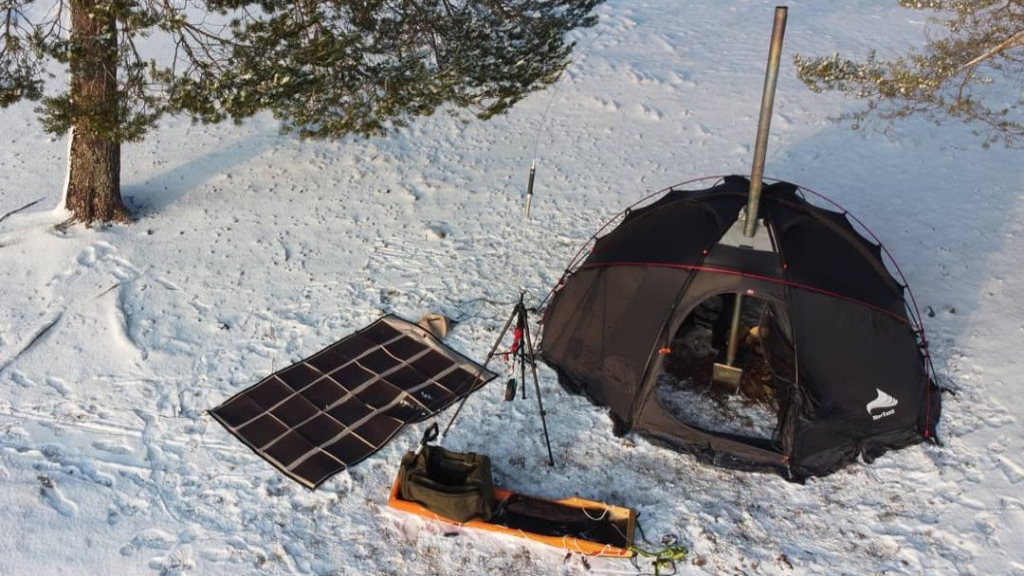
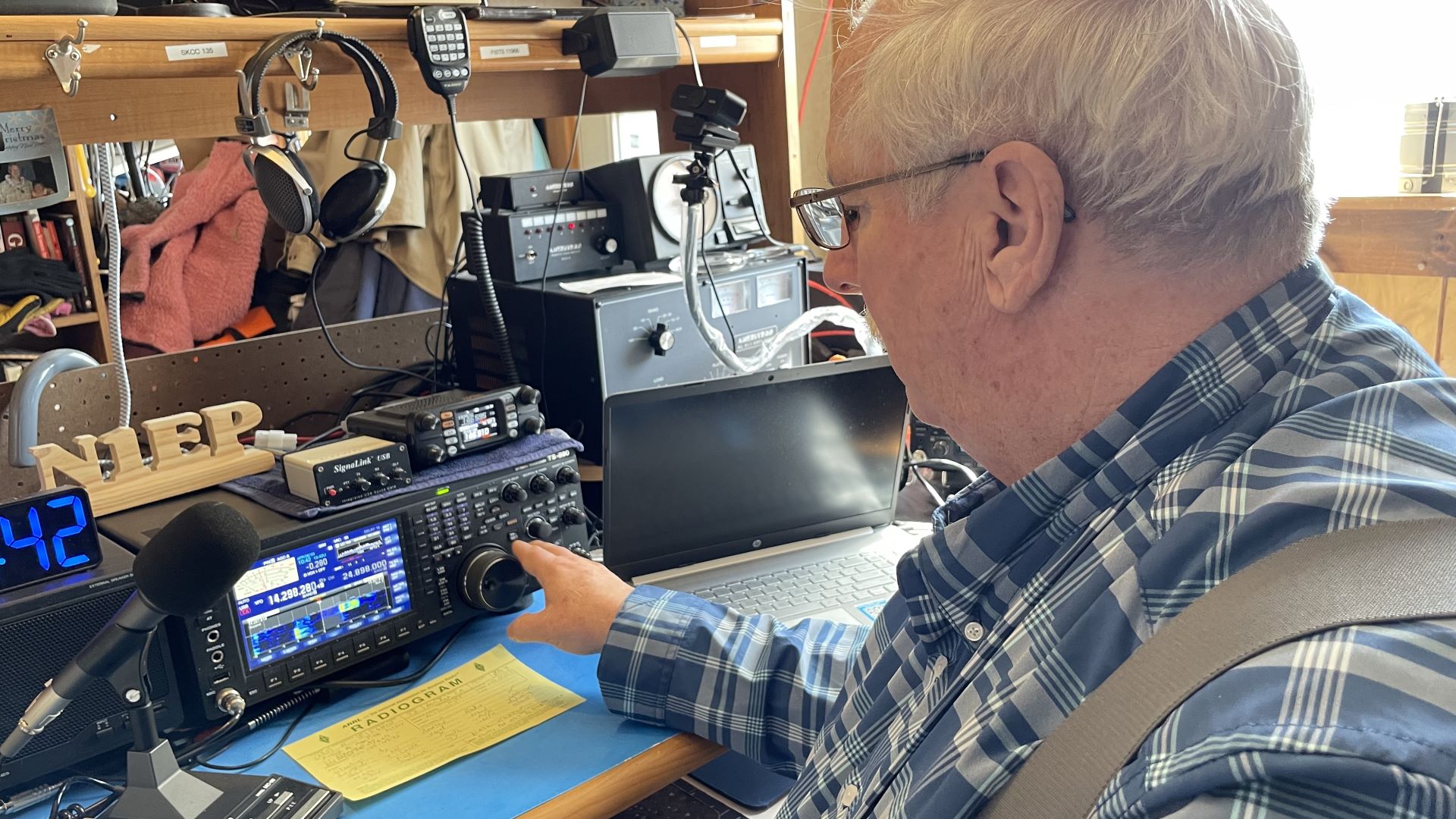
    Photo credits go to Norman Smith, normal thanks for the amazing photo!

    Thanks for being part of RadioOpBox. Stay ready. Stay on-frequency. Stay ahead.

  • Mobile HAM Radio Setup: How to Install a HAM Radio in Your Vehicle

    Mobile HAM Radio Setup: How to Install a HAM Radio in Your Vehicle


    If you’re ready to take your HAM radio hobby mobile, this mobile HAM radio setup guide will show you exactly how to install, wire, and optimize a HAM radio in your vehicle. Whether you’re commuting, off-roading, or supporting emergency communications, a properly installed mobile rig ensures reliability, maximum range, and clear communication wherever you go.

    In this guide, you’ll learn about the essential equipment, step-by-step installation, safety practices, and the best mobile radios for beginners and advanced operators alike.

    Mobile HAM Radio Setup
    Mobile HAM Radio Setup

    Why Set Up a Mobile HAM Radio?

    A mobile HAM radio setup provides stronger power output (typically 25–50 watts or more), improved signal quality, and greater range than handheld units. For operators who travel, camp, or work outdoors, a vehicle setup offers unmatched communication reach.

    You can even pair your system with GMRS for versatile coverage — ideal for family convoys, off-road adventures, or emergency communications.
    👉 Read more: HAM vs GMRS Radio Guide


    Essential Equipment for Your Mobile Setup

    image 2025 11 01 204023228

    Before beginning your mobile HAM radio setup, gather the right gear:

    1. Mobile HAM Radio Unit

    Popular choices include:

    These radios provide excellent power output and signal clarity, making them ideal for mobile operation.

    2. Antenna & Mount

    Use a high-quality NMO-mount antenna, such as the Nagoya UT-72G Magnetic Mount Antenna.

    Proper placement on your vehicle’s roof or trunk maximizes range and minimizes interference.
    👉 Related: How to Tune and Test Your Radio Antenna

    3. Power Source & Cabling

    • Wire directly to your vehicle battery for clean power.
    • Always use fused cables; avoid cigarette lighter plugs for permanent setups.

    4. Microphone & Mounting Hardware

    • Mount your radio securely under the dash or seat.
    • Keep your microphone within easy reach for safe operation.

    5. Optional Accessories

    • Tidradio Bluetooth Programmer – Program your frequencies quickly and easily via smartphone.
    • External speakers or headsets can improve audio clarity in noisy vehicles.

    Installation Steps

    Follow these steps for a safe, reliable mobile HAM radio setup:

    1. Pick Your Mounting Spot
      Choose an accessible location that doesn’t interfere with vehicle controls or vents.
    2. Install the Antenna
      Ensure a solid ground plane and a clean surface before mounting.
    3. Run Power Cables
      Route cables through existing firewall grommets. Connect red to battery positive, black to ground.
    4. Connect Microphone & Accessories
      Attach your mic, external speaker, and programming cable before securing the radio.
    5. Test Your Setup
      Power on the radio and check SWR (standing wave ratio). A reading under 1.5:1 indicates optimal performance.
      👉 Also check: Top HAM & GMRS Accessories from BTECH

    Safety & Best Practices

    • Never transmit without an antenna connected.
    • Always use fuses on both power leads.
    • Keep coax and power wires separated to avoid interference.
    • Follow local regulations for mobile transceiver operation.

    If you’re new to frequency management, check:
    👉 How to Understand the HAM Radio Band Plan


    BrandModelPowerNotes
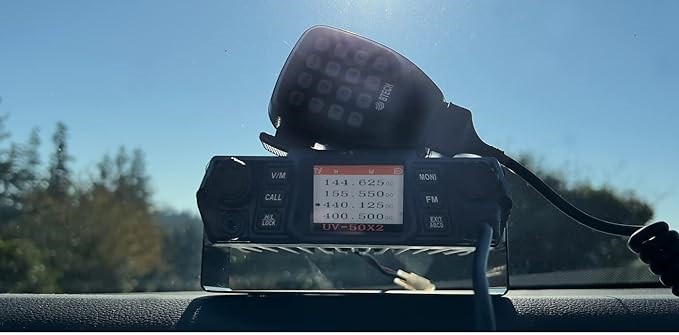
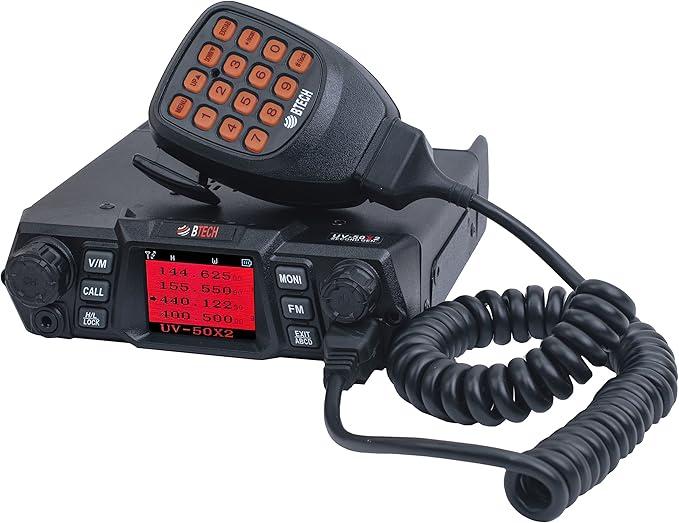
    BTECHUV-50X250WDual-band, cross-band repeat
    BridgeCom SystemsAnyTone AT-D578UVIII Plus50WDMR + analog, GPS, APRS
    TidradioTD-H8 Handheld10WIdeal for hybrid setups
    BTECHMini UV-25X425WCompact quad-band mobile radio

    Final Thoughts

    A mobile HAM radio setup in your vehicle ensures you stay connected, prepared, and part of the radio community no matter where you go. Use quality components, follow safe wiring practices, and double-check your antenna setup for the best performance.

    Once complete, your vehicle becomes a reliable mobile communication hub ready for road trips, emergency preparedness, or everyday use.


    Affiliate Disclosure

    Some links in this post are affiliate links. Radio Op Box may earn a small commission if you purchase through them — at no extra cost to you. We only recommend trusted partners such as BTECH, BridgeCom Systems, Tidradio, and Amazon.


    HAM vs GMRS Radio Guide

    How to Tune and Test Your Radio Antenna

    Top HAM & GMRS Accessories from BTECH

    How to Understand the HAM Radio Band Plan

  • How to Understand the HAM Radio Band Plan

    How to Understand the HAM Radio Band Plan

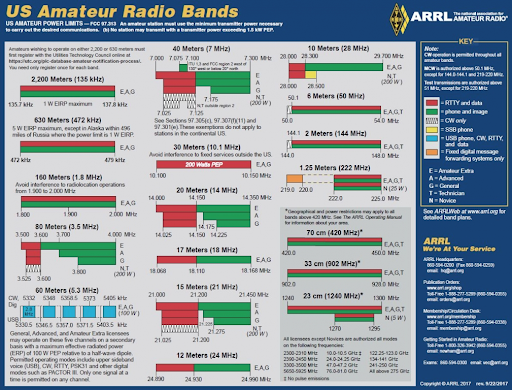
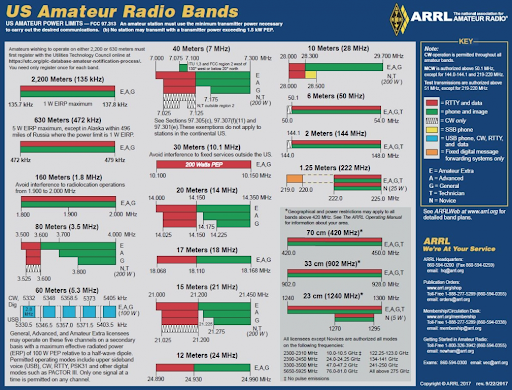
    If you’re getting into amateur radio, one of the first things you’ll hear about is the HAM radio band plan. Think of it like a roadmap for your radio—it tells you which frequencies to use, which modes are allowed, and how to avoid stepping on someone else’s conversation.

    In this guide, we’ll break it all down in simple terms so you can feel confident using your radio, whether you’re chatting locally, going long-distance, or experimenting with digital modes.


    What Exactly is a HAM Radio Band Plan?

    HAM radio band plan
    HAM radio band plan

    Simply put, a HAM radio band plan is a chart of frequencies set aside for amateur radio. Each band has its own “personality”—some are better for long-distance chatting at night, others are great for local talk and repeaters.

    Why it matters:

    • Keeps your communications legal and interference-free
    • Helps you pick the right frequency for your needs
    • Lets you get the most out of your radio equipment

    For a deeper dive into legal rules, check our FCC HAM Radio Licensing guide.


    Why Learning the HAM Radio Band Plan is Worth Your Time

    Knowing the HAM radio band plan isn’t just for following rules—it makes your hobby more enjoyable. You’ll be able to:

    • Quickly find open frequencies for voice or digital modes
    • Avoid accidental interference with emergency communications
    • Make smarter choices when picking radios and antennas

    Some great radios for beginners and seasoned operators include models from BTECH and TIDRadio. They cover multiple bands, making it easy to experiment and grow.


    A Quick Look at HAM Radio Bands

    Here’s a simple table to understand the main bands and what they’re best for:

    BandFrequency RangeCommon ModesBest For
    160m1.8–2.0 MHzCW, SSBLong-range night communication
    80m3.5–4.0 MHzCW, SSBRegional contacts
    40m7.0–7.3 MHzCW, SSB, DigitalDay/night regional & DX
    20m14.0–14.35 MHzCW, SSB, DigitalLong-distance DX
    2m144–148 MHzFM, RepeatersLocal VHF communication
    70cm420–450 MHzFM, RepeatersLocal UHF communication

    If you want to pair your radio with the right gear, check our post on Top HAM & GMRS Accessories from BTECH.


    Tips to Use the HAM Radio Band Plan Like a Pro

    1. Start with your license class: Know which bands and modes you’re allowed to use.
    2. Avoid restricted bands: These are off-limits or for emergency services only.
    3. Experiment with digital modes: They can help you reach farther with less power.
    4. Check propagation conditions: Some bands work better at night, some during the day.

    Recommended starter gear:


    Helpful Resources


    Wrapping It Up

    Understanding the HAM radio band plan doesn’t have to feel overwhelming. With the right knowledge and gear, you can safely explore all the bands your license allows, experiment with different modes, and get the most out of your hobby.

    Pair your learning with quality radios and accessories from BTECH, Amazon, TIDRadio, and Bridgecom for the best experience.


    Affiliate & Disclaimer:
    Some links above are affiliate links. If you purchase through them, RadioOpBox may earn a small commission at no extra cost to you. We only recommend products we trust and use ourselves.

  • Top HAM & GMRS Accessories from BTECH: Boost Your Radio Setup

    Top HAM & GMRS Accessories from BTECH: Boost Your Radio Setup


    If you’re serious about your HAM radio or GMRS radio setup, the right accessories can make all the difference. BTECH, a trusted name in the radio community, offers high-quality gear designed to enhance performance, reliability, and convenience. This guide highlights the must-have BTECH accessories to elevate your radio experience.


    1. Antennas: Maximize Your Signal

    The antenna is the heart of your radio system, directly affecting range, clarity, and reliability. Using a quality antenna reduces interference and improves reception for both HAM and GMRS radios.

    Top Picks:

    Pro Tip: Using a quality antenna reduces interference and improves reception. Learn how to fine-tune your antenna in our guide — How to Tune and Test Your Radio Antenna.


    2. Coax Cables & Connectors: Keep Your Signal Strong

    Even the best radios need proper cabling to perform at their peak. Pair your BTECH radios with low-loss coax like LMR-400 or RG8X and corrosion-resistant connectors.

    Tips for Best Performance:

    • Inspect connectors regularly for corrosion.
    • Use properly shielded cables to reduce interference.

    Affiliate Options:

    Check out our detailed guide: LMR-400 vs RG8X Coax Comparison


    3. Battery Packs & Power Options: Stay Connected Longer

    imgpsh fullsize anim 300x300 1

    Reliable power is essential for extended HAM or GMRS sessions. BTECH offers:

    Pro Tip: Always carry a spare battery to avoid downtime during field operations.


    4. Headsets & Microphones: Hands-Free Communication

    Clear audio and hands-free operation are crucial, especially in noisy environments.

    Recommended Accessories:

    Tip: A quality headset improves safety and efficiency during mobile operations or emergencies.


    5. Programming Cables & Software: Simplify Your Setup

    BTECH programming tools make managing frequencies, channels, and settings simple and error-free:

    • Quick frequency updates
    • Channel organization and backups
    • Easy restoration of custom settings

    Affiliate Options:


    6. Carrying Cases & Mounts: Protect Your Investment

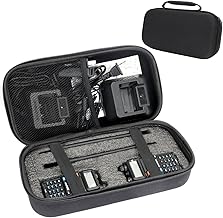
    71QI27UdLYL. AC UY218

    Durable cases and mounting solutions keep your radios safe and organized:

    Tip: Organized setups make transport and deployment faster, safer, and more convenient.


    Conclusion

    Investing in the right BTECH accessories can significantly improve your HAM or GMRS radio experience. From antennas and coax to batteries, headsets, and programming tools, these products enhance performance, reliability, and convenience. Using affiliate links from Amazon or BTECH ensures you get trusted gear while supporting our recommendations.


    For more helpful guides, explore:


    Affiliate Disclosure: Some links may be affiliate links for Amazon or BTECH. We only recommend products we trust and use ourselves.

  • How to Build a Copper J-Pole Antenna for HAM and GMRS Radio (DIY Step-by-Step Guide)

    How to Build a Copper J-Pole Antenna for HAM and GMRS Radio (DIY Step-by-Step Guide)


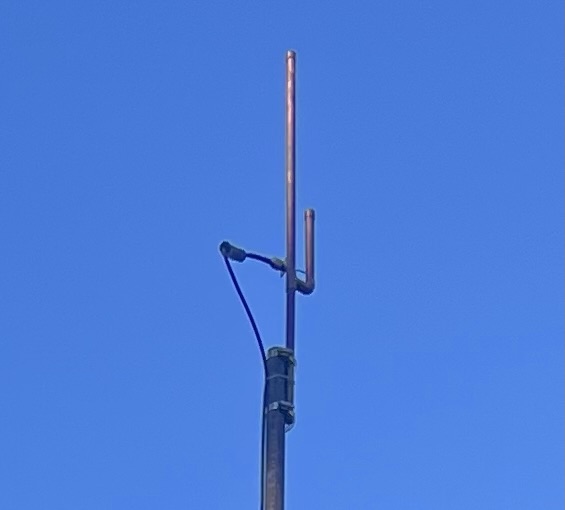
    If you’ve ever felt the desire to construct your antenna yourself, only to be undecided on how to proceed, then you need to build a copper j-pole antenna and we think this project is for you. This is both cost-effective and requires little to no special equipment.

    The first antenna I made was a J-pole, and I didn’t have an SWR meter for that project either. I just made my measurements, assembled the thing, plugged it in, and it worked wonderfully. This is, of course, the beauty of that design.

    At RadioOpBox.com, we enjoy radio projects that can be completed by anyone, regardless of their level of radio knowledge.


    ???? What You’ll Need

    Everything that you will need to build a copper j-pole antenna, you can purchase either at a hardware store or through the internet.

    Materials:

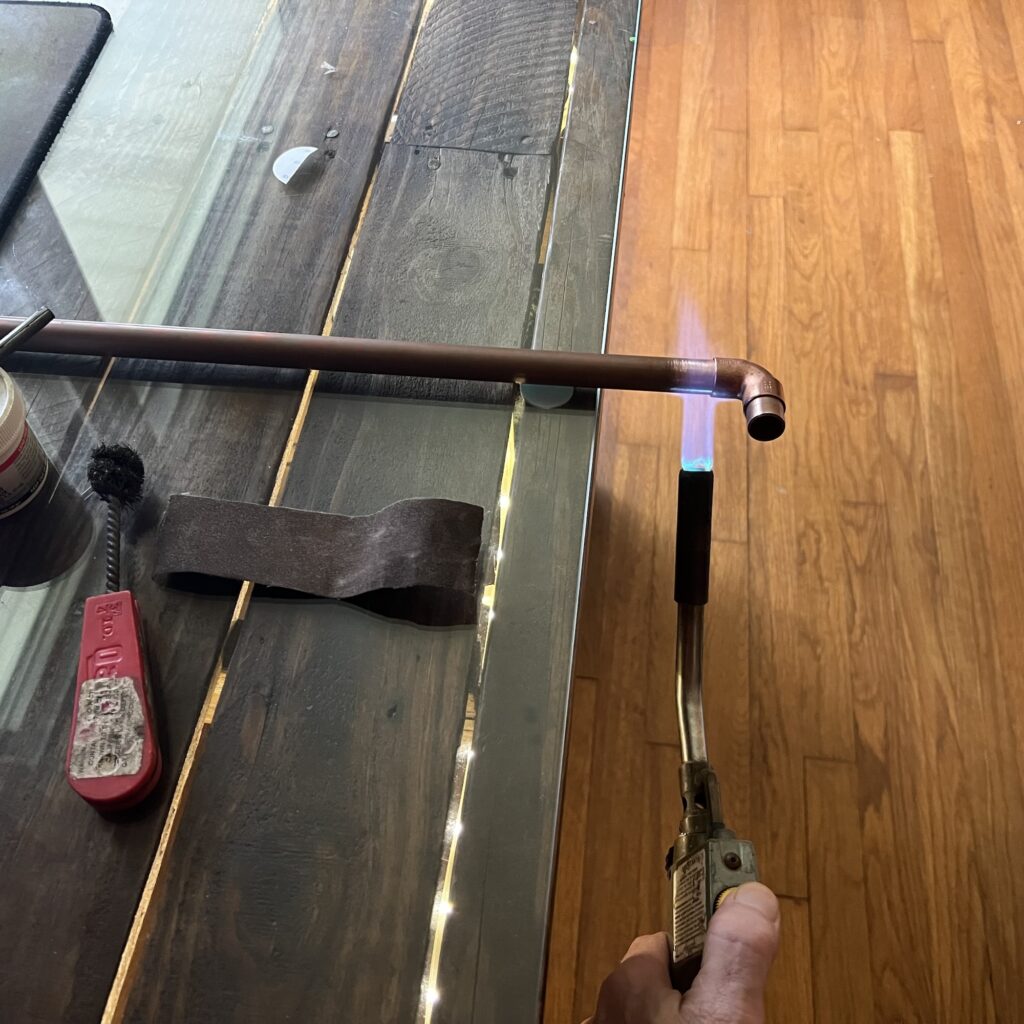
    • 10 ft of ½ inch copper pipe
    • Two ½-inch copper T-fittings
    • One ½ inch copper end cap
    • Coax connector (SO-239 or N-type)
    • Stainless steel hose clamps
    • Solder or brazing torch
    • Measuring tape and hacksaw

    Recommended accessories:


    ???? Step 1: Understanding the J-Pole

    The J-pole antenna has a half-wave radiator and a quarter-wave matching stub. This simplifies the antenna construction process because it doesn’t require a ground plane, only accurate measurements and adequate solder joints.

    For 2-meter HAM frequencies (~146 MHz):

    Long radiator: ~58 inches

    SHORT STUB: ~19 INCH

    For GMRS (462–467 MHz) operation, reduce each dimension by one-third., reduce each dimension to about one-third.


    ??? **Step 2: Cut and Assemble**

    1. One copper pipe, cut to 58 inches.
    2. Trim another to 19 inches.
    3. Join them using a T-fitting at the bottom.
    4. Cap the top of the longer pipe.
    5. Leave approximately ¾ inch space between the two pipes.

    Dry fit first, then solder when satisfied with the design.


    ???? Step 3: Connect the Feedpoint

    Connect your coaxial cable feed line approximately 2½ inches from the T-joint:

    • Center conductor → longer radiator
    • Shield → shorter stub

    Initially, you can start using hose clamps, then solder it permanently once it’s functioning.


    # Step 4: Real-World Setup

    I didn’t use any meters or analyzers, I just hooked it up to my radio, erected a mast, and keyered up. The difference was clear immediately. The signal from my local repeater came in stronger, and I was receiving clear reports from my contacts several miles away.

    The beauty of this design is that it is forgiving, simple, and can still produce wonderful results without using actual measurements.


    ???? Step 5: Mounting

    Try to install your antenna as high as possible, preferably 15 to 20 feet from the ground. An mast made from PVC or fiberglass will be your best option.

    If it’s a matter of going outside, it’s important to seal the joints and ground the coax.


    ???? What to Expect

    A properly constructed copper J-pole can provide you with:

    • Gain: ~3 dBi
    • VSWR: Preferably low enough to ensure reliability
    • Range: 15 to 30 miles line-of-sight (dependent upon terrain and radio

    Pair it with a good handheld like the
    Anytone AT-D878UVII+
    and will notice a marked improvement in clarity and reach.


    # Final Thoughts

    One of the most satisfying amateur radio projects to undertake yourself is to build a copper J-Pole antenna of your own. It’s extremely low-cost, quick, and will provide superior results without having to use any additional electronics or analyzers.

    At RadioOpBox, we share how-to’s that range from real-world experience, the sort of thing that you can really build, not just read.

    If this guide has assisted you, support us by visiting our affiliates:

    Always keep exploring, experimenting, and 73!

    – The RadioOpBox Team


    Written by the RadioOpBox Team — a group of licensed operators and radio enthusiasts, sharing real world projects, tutorials, and reviews since 2025.


    Disclosure

    As an Amazon Associate and BTECH affiliate, RadioOpBox.com may earn commissions from qualifying purchases. These small commissions help us keep creating free, hands-on guides for radio enthusiasts. Thanks for your support!

  • How to Calibrate and Test Your Radio Antenna for Clarity of Signals

    How to Calibrate and Test Your Radio Antenna for Clarity of Signals


    If you’re a GMRS or HAM operator, it’s important that you understand how to tune your radio antenna and check it. A tuned antenna will deliver signals clearly, minimize interference, and preserve your radio equipment. In this tutorial, we’ll instruct you on how to get the most out of your antenna.

    Whether you’re adding your first base station or upgrading a portable installation, this tutorial will lead you to the optimum result.

    Why Proper Antenna Tuning Matters

    A mismatched antenna will reflect energy back into your radio, giving you weak signals and potentially causing damage. Proper tuning guarantees:

    Maximum signal levels

    Less interference with adjacent electronics

    Safe, efficient operation of your radio

    Tuning isn’t optional for HAM operators, though—it’s necessary to ensure your license privileges are being utilized to the maximum.

    Have a look at our Beginner’s Guide to Programming DMR Radios for more essential HAM must-know tips.


    Tools You’ll Need for Tuning and Testing

    Tools Needed for Tuning and Testing

    First, acquire these tools:

    Having good tools around makes tuning precise and easy.

    Step 1: Connect Your Antenna to Your Radio

    Attach your antenna securely to a coaxial cable. Use LMR-400 to minimize signal loss. Make connections tight and corrosion-free.
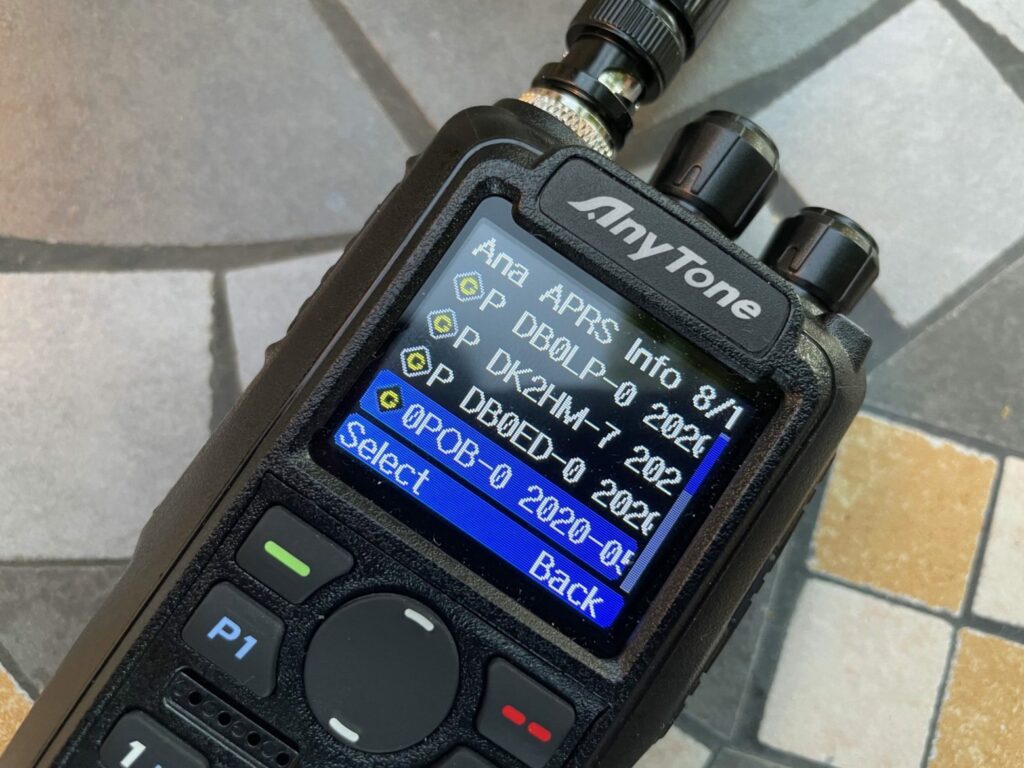
    Tip: Use short cables where possible. Long cables attenuate signals and lower the accuracy of SWR readings.
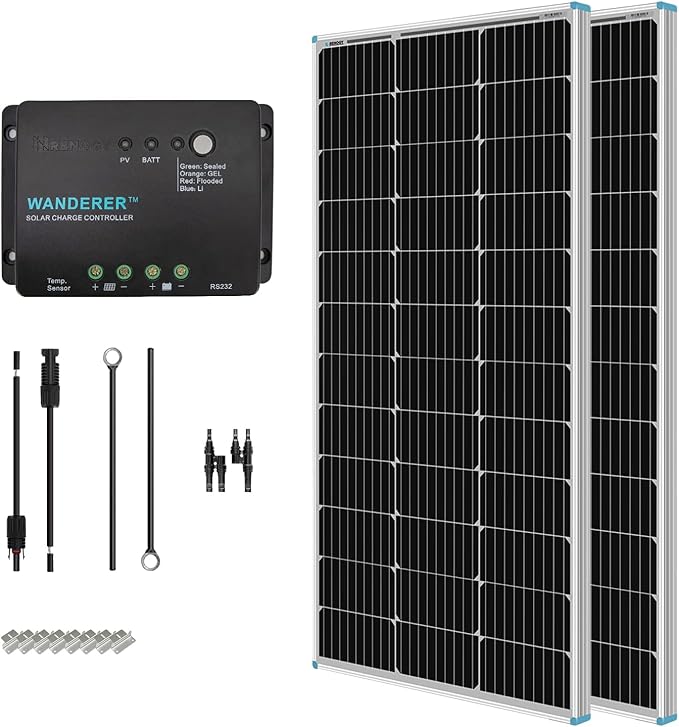
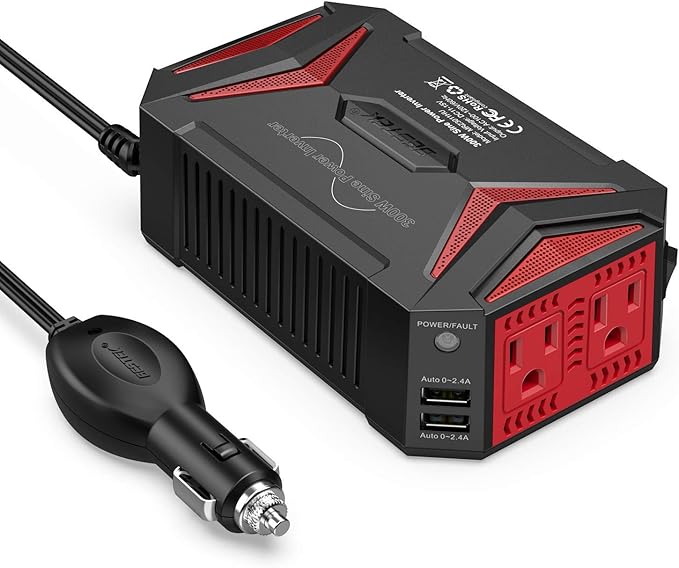
    Step 2: Take a measurement of the SWR (Standing Wave Ratio)

    SWR is the most critical measure of a properly tuned antenna.

    Hook your antenna analyzer to the antenna

    Sweep the frequency range you plan to use

    Watch the SWR readout—ideally 1.5:1 or lower

    If the SWR is excessive, your antenna length or orientation may need to be re-adjusted.

    Step 3: Fabricate Antenna Elements for Optimum Performance

    The adjustments vary by antenna type:

    Vertical antennas: Shorten or lengthen whip

    Dipoles: Trim both legs the same; simple to trim, hard to add

    Ground plane antennas: Ensure radials are at ~45° for best performance

    Check SWR after each adjustment until within acceptable range.

    For guidance on how to maximize antenna performance, see our article Building Your First 1/4 Wave Ground Plane Antenna.


    Step 4: Test Your Antenna With a Live Transmission

    After tuning, test the antenna:

    Test the antenna with a low-power transmission to a local station

    Request feedback for signal strength and quality

    Check for noise or distortion, an indication of interference

    This confirms your tuning under real conditions.

    Step 5: Keep Your Antenna in Good Condition Regularly

    Weather, corrosion, and physical damage will reduce performance. Oftentimes:

    Check for corrosion on connectors

    Test SWR regularly

    Replace old coaxial cable

    Maintenance will keep your antenna performing at its best.


    More HAM and GMRS Operator Tips

    • Use LMR-400 coax to minimize signal loss
    • Keep antennas clear of metal structures that cause signal distortion
    • Keep a record of your tuning adjustments for later

    Visit our Radio Op Box Blog for more HAM and GMRS lessons.


    Recommended Tools on Amazon


    Conclusion

    Having a means of tuning and testing your radio antenna is essential for every HAM and GMRS user. Tuning correctly saves most signal power, reduces interference, and protects your radio equipment from damage. With these instructions, you’ll enjoy clear, reliable communications on the air.

    For detailed guides and tutorials, go to our Radio Op Box Blog for step-by-step guides, equipment reviews, and advanced HAM radio tips.


    Disclosure: We’re an Amazon Associate and earn from qualifying purchases without any additional cost to you.

  • How to Make a 1/4 Wave Ground Plane Antenna for HAM Radio (DIY Tutorial)

    How to Make a 1/4 Wave Ground Plane Antenna for HAM Radio (DIY Tutorial)

    how to build a 1/4 wave ground plane antenna step-by-step
    how to make a step-by-step 2 meter 1/4 wave ground plane antenna.

    Building your very own 1/4 wave ground plane antenna is easier than you think. With a few tools, a bit of 14-gauge copper wire, and LMR-400 coax cable, you can build a reliable HAM or GMRS radio antenna. It is a DIY project that boosts your signal, puts dollars in your pocket, and informs you on how antennas really work.

    A 1/4 wave ground plane antenna for HAM radio is simple, inexpensive, and perfect for anyone who wants a hands-on experience working with antenna theory.

    For more beginner projects, visit RadioOpBox.com Antenna Guides.


    What is a 1/4 Wave Ground Plane Antenna?


    A 1/4 wave ground plane antenna is one of the most widely used and efficient local VHF or UHF antennas. It consists of:

    • 1 vertical radiator
    • 4 radials sloping downwards to form the ground plane.

    This design produces an omnidirectional radiation pattern, which is ideal for repeater access or simplex use.

    Benefits:

    Easy to build and tune
    Excellent local coverage
    Very low cost

    Drawbacks:

    Bandwidth limited
    Needs to be mounted properly for good performance


    Materials You’ll Need

    14-gauge copper wire antenna build example

    14-gauge copper wire antenna construction example
    Below is what you’ll need for your 1/4 wave ground plane antenna built using 14-gauge copper wire and LMR-400:

    (Affiliate links help support RadioOpBox.com at no extra cost.)

    ???? Pro Tip: Low-resistance, high-conductivity copper wire improves SWR and signal efficiency. LMR-400 coax reduces signal loss, especially on long lengths.


    Step-by-Step: Building a 1/4 Wave Ground Plane Antenna

    Step 1: Calculate the Wire Lengths

    Use the formula:

    Length (inches) = 2808 / Frequency (MHz)
    Example for 146 MHz (2-meter band):
    2808 ÷ 146 = 19.2 inches

    ✅ Radiator: 19.2″ of 14-gauge copper wire
    ✅ Radials (4 total): Each 19.2″ of 14-gauge copper wire


    Step 2: Prepare the SO-239 Base

    The SO-239 connector is the center hub:

    Center pin: vertical radiator
    Outer flange: four radials
    If your connector is not pre-drilled with holes for radials, create small holes near the edges so that the wires can be tightly attached.


    Step 3: Install the Radiator


    Cut away ½″ insulation and solder the vertical radiator wire to the center pin.

    Straighten it out — alignment will affect antenna radiation pattern.


    Step 4: Install the Ground Radials

    Securely fasten the four radials evenly spaced apart.

    Fold each one down at a 45° angle to have about 50 ohms impedance for optimum radio performance.


    Step 5: Install the Antenna

    Mount the antenna to a PVC pipe or mast with clamps or brackets.

    Connect the PL-259 terminated LMR-400 coax cable to the SO-239 base.

    For ideas on mounting, see: Building Your First HAM Base Station.


    Step 6: Tune and Test

    Use an SWR meter or antenna analyzer. Adjust the radiator so your SWR is nearly 1.0:1. Trim or extend wire with caution for fine-tuning.

    Read more: How to Tune and Test Your Radio Antenna


    Mount your antenna as high as possible for line-of-sight coverage.
    Weatherproof solder joints with tape or sealant.
    Keep radials symmetrical for optimal balance.
    Recheck SWR every few months.
    Using LMR-400 reduces signal loss over long coax runs.


    Recommended Tools & Accessories


    FAQ: Assembly of a 1/4 Wave Ground Plane Antenna

    Q1: What frequency band is best for a 1/4 wave ground plane antenna?
    A: Best for VHF and UHF, for example, 144–148 MHz or 440–450 MHz.

    Q2: Can I use aluminum instead of copper?
    A: Yes, but copper is easier to solder and gives better conductivity.

    Q3: How high should I raise the antenna?
    A: Best 10–20 feet off the ground for maximum line-of-sight coverage.

    Q4: What coax should I use for maximum performance?
    A: LMR-400 is best utilized for low-loss, long cable runs.


    Conclusion

    Building a 1/4 wave ground plane antenna is a rewarding DIY HAM project. With 14-gauge copper wire and LMR-400 coax, it’s easy, cheap, and provides excellent communications performance.

    Building an antenna helps you understand tuning, impedance, and signal action — skills vital to any HAM or GMRS operator.

    For additional HAM and GMRS tutorials, guides, and equipment reviews, visit RadioOpBox.com.


    Amazon Affiliate Disclosure

    I am an Amazon Affiliate and earn on purchases. By clicking an affiliate link and buying, I may earn a small commission at no extra cost to you. These little commissions keep RadioOpBox.com running and enable our content to be free for the radio community.

  • Building Your First GMRS Base Station

    Building Your First GMRS Base Station

    Getting Started with GMRS

    If you’ve wondered how to make a GMRS base station, you’re in the right location. Constructing your own base station is one of the finest ways to extend communication range, reliability, and clarity for local or emergency purposes. If you are new to GMRS or looking to upgrade from a handheld radio, this guide will show you exactly how to build your installation step by step.

    A GMRS base station makes you stay in touch with your group, household, or emergency contacts even when cell networks fail — and the good news is that you can build one using some crucial components.


    The Key Components of a GMRS Base Station

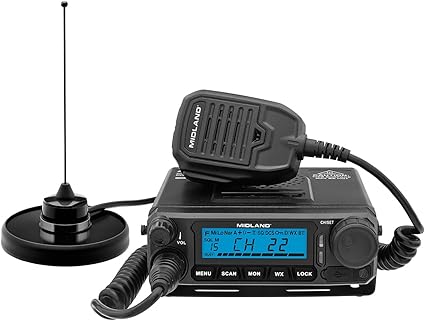
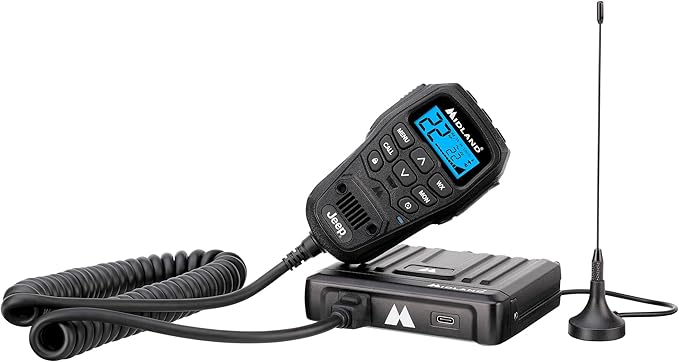
    Midland MXT500 MicroMobile 50-Watt GMRS Radio - How to Build a GMRS Base Station

    Building your own first GMRS base station is easier than you think once you have the right components.


    1. GMRS Base Radio

    Your radio is the hub of your station. It determines the power you will be able to transmit and what features you will be able to use (such as repeater access or channel scanning).

    Radios We Recommend:

    Midland MXT500 MicroMobile 50-Watt GMRS Radio – a high-powered, easy-to-use GMRS base radio perfect for beginners. BTECH GMRS-50X1 50-Watt GMRS Base Radio – advanced programming features, repeater support.

    Tip: For even more flexibility, check out our Frequency Programming guide to GMRS and HAM Radios.


    2. Antenna and Coax Cable

    The antenna is the deal-breaker unit of your GMRS base station range. Putting your antenna up high (on your roof or pole) provides you with improved line-of-sight and greater reach.

    Recommended Antennas:

    Nagoya TB-320A Base Antenna for GMRS — very low cost, easy to install, and works very well for home setups.

    Comet GP-9 Dual Band Base Antenna — great gain and life.

    For the best performance, use low-loss coax cable like LMR-400 Coax Cable run from your antenna to your radio.

    Related Reading: Best Accessories for Two-Way Radios


    3. Power Supply

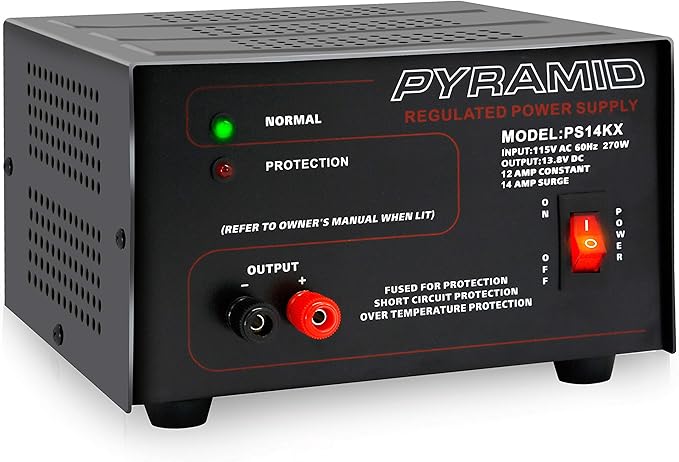
    Pyramid PS14KX 12V Power Supply

    Most GMRS base radios use 12V DC power, which means you’ll need a reliable converter or power supply if you’re running it from your home outlet.

    Recommended Power Supply:

    Pyramid PS14KX 12V Power Supply — provides stable current for long operating sessions.

    If you want a stronger setup which can survive non-outages, include a solar backup or battery system. We discuss this in detail in our Emergency Power Options for HAM Operators guide.


    4. Mounting, Grounding & Safety

    Don’t skip grounding — it’s essential for lightning safety and reducing interference. Ground both your radio and your antenna system properly.

    Don’t omit grounding — it is required to keep you safe from lightning and to reduce interference. Ground both your radio and your antenna system properly.

    For safety tips, see our guide on Lightning and Antenna Safety Tips.


    How to Assemble Your GMRS Base Station

    Here’s step by step how to assemble your GMRS base station:

    Mount your antenna as high as it will go safely (roof, pole, or tower).

    Connect your antenna to your radio with low-loss coax.

    Connect your power source to your GMRS radio.

    Tune your antenna with an SWR meter for optimal performance.

    Do a range test to make sure your setup is transmitting cleanly.

    Following assembly, your GMRS base station gives you sharp communication across several miles — perfect for community nets, prepping, or off-grid communications.


    Pro Tips for Expanding Your Setup

    Once you’ve got your base station operational, you can expand it with ease by adding:

    Repeater Access: to boost your range of communication.

    External Speaker: for improved indoor clarity.

    Battery Backup: for continuous off-grid use.

    Check out our article on Essential Two-Way Radio Accessories for Enhanced Communication additional tips on how to make your set-up better.


    Final Thoughts

    With what you’ve just read about how to build a GMRS base station, you’re now ready to have access to powerful, solid communications that beat handhelds every time. With the right radio, antenna, and power setup, you’ll have a station that keeps you in touch — whether it’s for everyday use, emergency preparedness, or communicating with your neighborhood.

    Start constructing today and watch what a good-quality GMRS base station can achieve!


    Amazon Affiliate Disclosure

    I am an Amazon Associate and earn commissions from qualifying purchases. That means if you click on a product link and purchase something, we’ll receive a small commission at no extra cost to you. This helps support our content at RadioOpBox.com — thank you for the support!

  • Frequency Programming for Radios: HAM & GMRS Step-by-Step Guide

    Frequency Programming for Radios: HAM & GMRS Step-by-Step Guide

    Beginner’s Guide to Frequency Programming for Radios (HAM & GMRS)

    Learning radio frequency programming for HAM and GMRS radios is a top priority for new operators. Proper programming provides clear communication, avoids interference, and makes your radios function efficiently. This tutorial provides detailed instruction from manual programming to utilizing CHIRP software, with recommended accessories to ease the process.

    Whether you’re a hobbyist or just starting your radio setup, this guide will walk you through step-by-step instructions, plus pro tips to avoid common mistakes.


    What is Frequency Programming?

    Frequency Programming for Radios: Step-by-Step HAM & GMRS Guide
    FCC Band Plan

    Frequency programming is the process of setting channels and frequencies on your radio. It determines how your radio communicates and ensures you transmit on the correct legal frequencies. Both HAM radios and GMRS radios require proper frequency setup, though GMRS requires an FCC license in the United States.

    There are two main methods:

    • Manual Programming: Enter frequencies directly using your radio’s keypad.
    • Computer Programming: Use software like CHIRP with a USB programming cable to program multiple channels efficiently.

    Pro Tip: Using a programming cable with CHIRP is much faster than manual entry, especially if you plan to program multiple radios.

    Check compatible programming cables on Amazon


    Step-by-Step Frequency Programming for Radios

    1. Choose the Correct Frequency Range

    Make sure your radio supports the bands you want to use. HAM operators commonly use VHF (144–148 MHz) and UHF (420–450 MHz), while GMRS users operate between 462–467 MHz. Always confirm your frequency is legal in your area.

    2. Select or Create a Channel

    Decide which channel to program and name it for easy recognition (e.g., “Local Net” or “Repeater 1”). This helps avoid confusion when you have multiple channels programmed.

    3. Enter the Frequency

    Manual: Use the keypad to input the frequency directly.

    CHIRP Software: Open CHIRP → Download from Radio → Edit channels → Upload to Radio. CHIRP allows you to quickly rename channels, set tones, and backup your frequency list.

    4. Set Privacy Codes (Optional)

    Many radios allow you to set CTCSS or DCS codes to reduce interference from other nearby users. If you’re communicating in a crowded area, this is highly recommended.

    5. Save and Test Your Settings

    Always transmit and receive after programming to confirm clear communication. Testing ensures your radio is working correctly and that all channels are properly programmed.


    For beginners learning frequency programming, we recommend:


    • USB Programming Cable – Essential for CHIRP software.
    • CHIRP Software (Free) – Download CHIRP here.
    • Battery Backup – Prevent data loss during power outages.
    • Label Maker or Logbook – Keep track of programmed channels and tones.

    Explore all two-way radio accessories


    Pro Tips for Beginners

    • Double-check your frequencies to ensure legality.
    • Keep a written log of channels and tone settings.
    • Start with a few basic channels before programming dozens.
    • Use CHIRP’s “Export” feature to backup your channel list.
    • Label your radios clearly for each frequency set.

    Comparison: Manual vs CHIRP Programming

    MethodProsCons
    Manual ProgrammingNo extra software required, good for a few channelsTime-consuming, prone to errors, difficult for multiple radios
    CHIRP ProgrammingFast, allows backups, easy editing, ideal for multiple radiosRequires cable and computer, small learning curve


    Conclusion

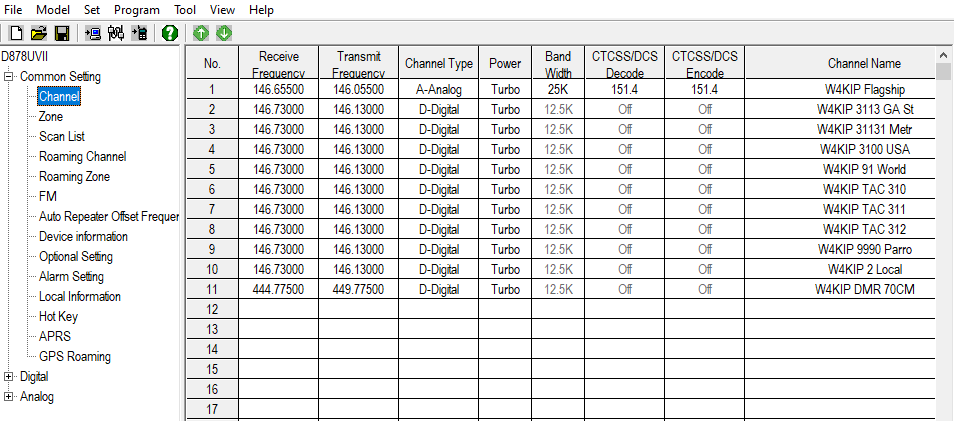
    Mastering frequency programming for radios is a critical first step for any beginner radio operator. With tools like CHIRP, a USB programming cable, and beginner-friendly radios such as the AnyTone 878UVII Plus, you’ll save time, avoid mistakes, and enjoy clear communication. Start simple, follow these steps, and expand your channels as you gain confidence.

    Check out our full selection of HAM and GMRS radios and accessories to get started today!

    Amazon Affiliate Disclosure: As an Amazon Associate, RadioOpBox earns from qualifying purchases.

  • How to Protect Your HAM and GMRS Gear During an EMP

    How to Protect Your HAM and GMRS Gear During an EMP

    Why EMP Protection Matters for Radio Operators

    An electromagnetic pulse (EMP) can instantly disable unprotected electronics — including your valuable HAM and GMRS radios. Whether caused by a solar flare or a man-made event, an EMP can wipe out communications when you need them most.

    For radio operators, that’s not an acceptable risk. Your gear is your lifeline during emergencies, disasters, or grid failures. Protecting it now ensures you stay connected when it matters most.


    Use a Faraday Cage or EMP Shielding

    250px Cage de Faraday

    The most effective way to protect your HAM and GMRS gear during an EMP is with a Faraday cage. This enclosure blocks external electric fields, safeguarding your devices from EMP surges.

    Recommended products:

    👉 Pro Tip: Place your handheld radios in a Faraday bag, then store that inside a sealed metal container for layered protection.


    Keep Spare Equipment and Batteries Stored Safely

    Even the best protection isn’t foolproof, so store backup radios and batteries in Faraday protection as well.

    Recommended backups:

    Tip: You can find setup guides and product reviews for these models on our site — check out RadioOpBox.com/blog for more radio tips and gear breakdowns.


    Build an EMP-Ready Radio Kit

    A portable emergency kit keeps your essential comms gear ready to deploy post-EMP. Include:

    • Two-way radio (HAM or GMRS certified)
    • Extra antennas and cables
    • Battery bank or solar charger
    • Paper frequency log
    • Map of local repeaters

    You can explore our Radio Operator’s Starter Kit to get a better idea of what to include.


    🌐 Stay Connected and Learn More

    EMP protection isn’t a one-time task — it’s part of long-term radio preparedness. Visit our guides at RadioOpBox.com to learn about:


    Quick Recap: Must-Have EMP Protection Tools

    Protection TypeRecommended ProductLink
    Faraday BagFaraday Defense NX3View on Amazon
    EMP Surge ProtectorEMP ShieldView on Amazon
    Backup GMRS RadioAnyTone 878UVII PlusView on Amazon

    Amazon Affiliate Disclosure

    As an Amazon Associate, Radio Op Box earns from qualifying purchases. This helps support our site at no additional cost to you.

  • Radio Operator’s Starter Kit: Everything You Need to Get Started

    Radio Operator’s Starter Kit: Everything You Need to Get Started

    Getting started in the world of radio communications can feel overwhelming at first — HAM, GMRS, frequencies, antennas, programming, and so much gear to choose from! That’s why we’ve built the ultimate Radio Operator’s Starter Kit, your step-by-step guide to the essential tools, accessories, and radios you’ll need to kickstart your communication journey.

    Whether you’re exploring HAM radio for emergency preparedness or GMRS for family communication, this kit ensures you’re ready to transmit clearly, safely, and effectively.


    1. A Reliable Handheld Radio

    Every operator’s journey begins with a dependable handheld transceiver. It’s your portable lifeline for local and emergency communication.

    20210601 184053422 iOS 2 scaled e1622611945802 1

    Top Pick: AnyTone 878UVII Plus Handheld Radio
    This dual-band radio supports both HAM and GMRS frequencies, offers digital and analog operation, and provides excellent battery life — perfect for both beginners and experienced operators.

    👉 Want to learn how to program your radio? Check out our Beginner Programming Tutorial.


    2. A Quality Antenna Upgrade

    The antenna that comes with most radios is okay — but not great. Upgrading your antenna drastically improves range and clarity.

    Recommended: Nagoya NA-771 Dual Band Antenna
    This flexible, long-range antenna boosts both transmit and receive performance. It’s an easy, affordable upgrade that every operator should make right away.

    You can also check out our article on Preventing Water Damage to Your Antenna and SWR Meter.


    3. Programming Cable & Software

    s l1200 1

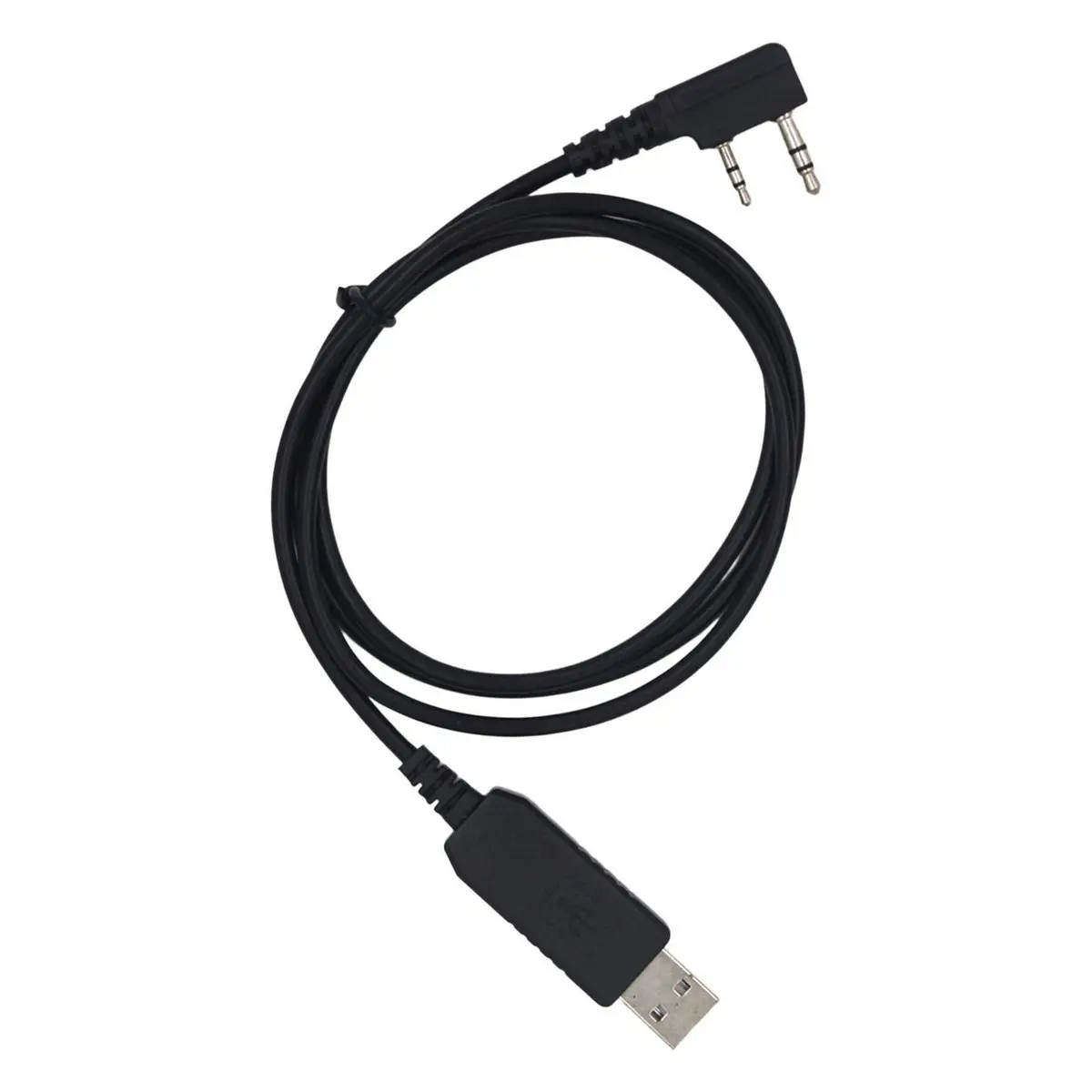
    Setting up your radio frequencies manually can be tedious. A USB programming cable lets you quickly load channels and customize settings from your computer.

    Recommended: AnyTone USB Programming Cable
    Pair this with free software like CHIRP, and you’ll be on the air in minutes.


    4. Spare Battery & Power Options

    Never run out of power during an emergency or a long outing. Keeping a spare battery and charging options ensures you stay connected.

    Top Picks:

    For backup options, see our guide on Emergency Power Options for HAM Operators.


    5. Protective Carry Case

    Protecting your investment is key. A tough, padded case keeps your radio, antenna, and cables safe during transport or outdoor use.

    Recommended: Tactical Radio Carry Case


    6. The Radio Op Box (Optional but Awesome)

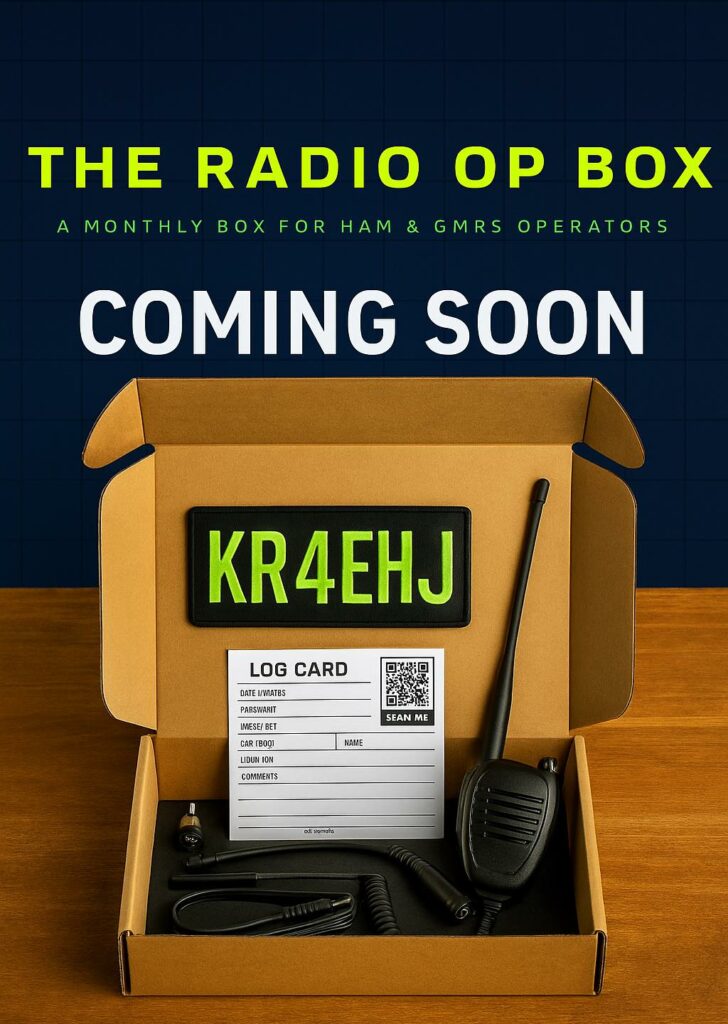
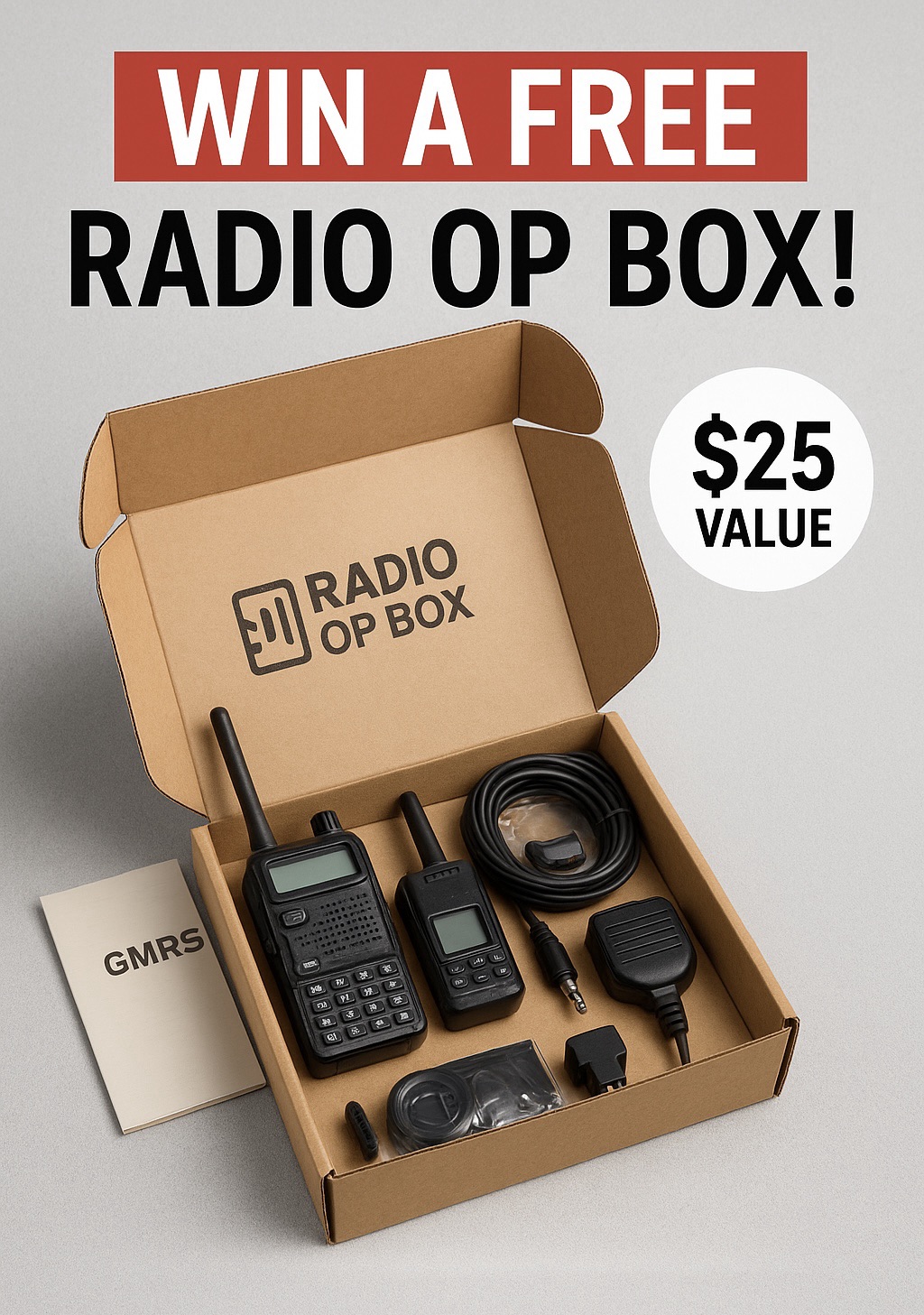
    If you want an all-in-one, ready-to-go kit, check out the Radio Op Box — it includes carefully curated gear for new operators, offering convenience, protection, and performance in one package.

    You can even join our Radio Op Box Giveaway for a chance to win your first box (a $25 value) absolutely free!


    Final Thoughts

    Starting your radio journey doesn’t have to be complicated. With the Radio Operator’s Starter Kit, you’ll have all the gear you need to stay connected — whether you’re joining a local HAM club, preparing for emergencies, or just exploring the hobby.

    Equip yourself, learn the basics, and get ready to communicate anywhere, anytime.


    Amazon Affiliate Disclosure

    As an Amazon Associate, RadioOpBox.com earns from qualifying purchases. This comes at no additional cost to you and helps support our site.

  • Emergency Power Options for HAM Operators

    Emergency Power Options for HAM Operators

    When emergencies strike and the grid goes down, HAM radio operators are often among the first to respond and communicate. Whether you’re coordinating disaster relief or just ensuring your station stays online, having reliable emergency power for HAM operators is essential.

    In this guide, we’ll explore the most dependable and cost-effective options to keep your radio operational when the lights go out.


    1. Portable Generators

    Portable generators are the most common and powerful solution for emergency power. They provide sustained energy for your HAM radio equipment, lighting, and even small appliances.

    Recommended Option:
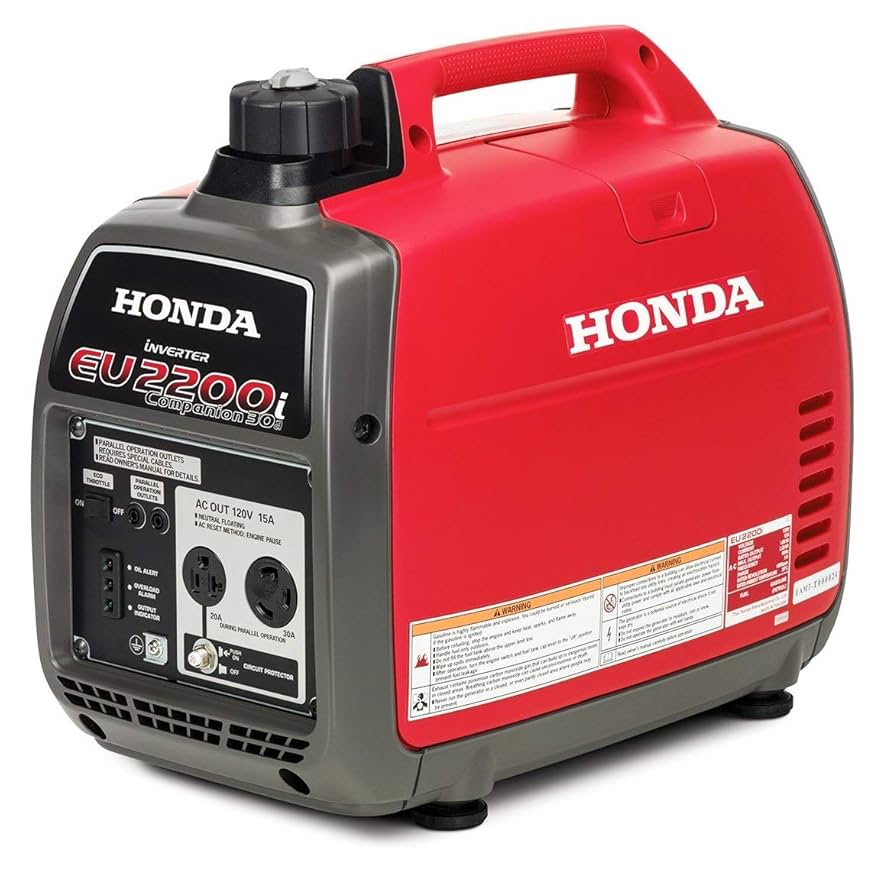
    Champion Power Equipment 2500-Watt Dual Fuel Inverter Generator (Amazon) – Compact, quiet, and efficient for radio ops.

    Pro Tip: Always use a power conditioner or UPS to protect sensitive radio gear from power surges.


    2. Solar Power Systems

    Solar setups are a clean, quiet, and long-term option for off-grid HAM radio power. With the right panel and battery combo, you can run your entire station indefinitely in daylight conditions.

    Recommended Gear:

    Why it’s great for HAMs: Solar power can silently power repeaters or base stations without fuel dependency.


    3. Deep Cycle Batteries

    Deep cycle batteries are excellent for portable HAM operations or when you need to power your radio setup overnight. Pairing them with solar chargers gives you a sustainable solution.

    Recommended Choices:


    4. Power Management and Conversion

    71EVZIlXVCL. AC SX679 1

    Running 12V DC to 120V AC efficiently is crucial. Use DC-DC converters or pure sine wave inverters for safe power conversion.

    Recommended Gear:


    5. Portable Power Stations

    For field days, POTA, or emergency communication exercises, compact power stations provide plug-and-play convenience.

    Recommended Units:

    These units are ideal for HAM operators needing mobility and fast recharging capabilities.


    Stay Prepared

    Having a reliable backup power system ensures you’re never left in the dark. For HAM and GMRS operators, emergency power is more than convenience—it’s a lifeline.

    Check out our related guides on:


    Final Thoughts

    Investing in emergency power options for HAM operators ensures your radio stays on air when it matters most. Whether you go solar, battery-based, or generator-powered, having redundancy is key to resilience.


    Ready to Build Your Backup Setup?

    Explore the latest HAM and GMRS accessories at RadioOpBox.com — your one-stop shop for radio gear and preparedness equipment.


    Amazon Affiliate Disclosure

    As an Amazon Associate, RadioOpBox.com earns from qualifying purchases. This helps support our mission to keep the HAM and GMRS community connected and informed—at no extra cost to you.

  • Essential Two-Way Radio Accessories for Enhanced Communication

    Essential Two-Way Radio Accessories for Enhanced Communication

    Two-way radios are the undisputed champions of reliable communication across a huge range of situations—from coordinating large events to maintaining safety on a construction site. While the radio itself is the heart of your setup, its true potential is unlocked with the right gear.

    Just as a smartphone needs a case and charger, your two-way radio thrives when equipped with the right radio accessories. This guide explores the must-have add-ons to improve clarity, extend battery life, and protect your investment.

    If you’re new to radio communication, you might also enjoy our Beginner’s Guide to HAM and GMRS Radios and our Two-Way Radio Safety Tips.


    🎧 Must-Have Radio Accessories for Clearer Calls

    71rAVNQa1L. AC SX679

    The main goal of radio communication is simple: be heard and understood. Three accessories stand out as essential for achieving crystal-clear audio.

    1. External Microphones & Speakers

    A high-quality external microphone and speaker are game changers in noisy environments like warehouses, concerts, or outdoor events. By positioning the mic closer to your mouth and the speaker nearer your ear, you drastically reduce background interference.

    Many models feature noise-cancellation technology, ensuring your voice cuts through the noise.
    Recommended: Motorola Speaker Mic on Amazon


    2. Professional Headsets

    For hands-free operation, a two-way radio headset is indispensable. Perfect for security personnel, event staff, or emergency teams, these keep your hands on task—not on your radio.

    Choose from single-ear models for situational awareness or noise-isolating over-ear designs for loud work environments.
    Recommended: Midland AVPH10 Shoulder Speaker Mic Headset


    3. Upgraded Antennas

    41Tdqm5jnL. AC SX679 1

    Don’t underestimate your antenna—it’s the key to range and clarity. Factory antennas are often general-purpose compromises. Upgrading to a high-gain antenna can dramatically extend your communication distance.

    Alternatively, a flexible short antenna minimizes snagging, ideal for those carrying radios on belts or vests.
    Recommended: Nagoya NA-771 Dual Band Antenna


    🔋 Power & Protection for Your Communication Gear

    81iYKSr1GL. AC SX679

    A dead radio is useless. Keeping consistent power is vital for uninterrupted operation.

    Extra Batteries & Multi-Chargers

    Investing in spare batteries ensures you’re never caught off guard. A high-capacity battery can double your radio’s uptime, while a multi-unit charger keeps multiple radios or batteries topped up.
    Recommended: BAOFENG BL-5L Extended Battery
    Recommended: BAOFENG 6-Way Multi Charger


    Protective Cases & Holsters

    Rugged environments demand rugged protection. A carrying case or bumper guard prevents damage from drops or impacts. Industries like construction and public safety benefit most from shock-absorbing radio cases.
    Recommended: Universal Nylon Radio Holster

    For easy access, use a heavy-duty belt clip or shoulder mic holder. These make your radio secure and comfortable to wear during long shifts.

    Check out our related guide on Preventing Water Damage to Your Antenna and SWR Meter.


    Build a Reliable Communication Setup

    By combining crystal-clear audio accessories, long-lasting power solutions, and robust protection, you elevate your two-way radio system from basic to professional-grade.

    These simple investments lead to:

    • Better clarity and communication range
    • Improved productivity and safety
    • Longer equipment lifespan

    Whether for HAM, GMRS, or professional use, your upgraded setup will keep you connected when it matters most.

    If you want to go a step further, explore our Radio Op Box monthly subscription—featuring curated gear and accessories for radio enthusiasts.

    515303751 122103172652930256 8297672254884572828 n 1 e1759882259650

    ⚙️ Affiliate Disclosure

    This article contains affiliate links to products on Amazon. As an Amazon Associate, we may earn a commission from qualifying purchases—at no extra cost to you. This helps support our site and allows us to continue providing helpful guides and reviews for radio operators everywhere.

  • Your Guide to the Best Beginner Ham and GMRS Radios

    Your Guide to the Best Beginner Ham and GMRS Radios

    Stepping into the world of two-way radios can feel like unlocking a new superpower. Suddenly, you can communicate for miles without cell towers, monthly bills, or data limits. For beginners in 2025, the choice often comes down to two fantastic options: Ham (amateur) radios and GMRS (General Mobile Radio Service) radios. While Ham radio requires a license earned by passing a test, it opens up a vast world of frequencies and technical experimentation. GMRS, which only requires a simple, fee-based license from the FCC with no test, offers a more immediate and powerful way to communicate with family and friends. This guide is designed to cut through the noise and help you find the perfect beginner radio to start your journey.


    Finding the Perfect Beginner Radio for You

    The first and most crucial step is deciding which service aligns best with your goals. Are you fascinated by the technical side of radio, eager to talk to people across the globe, and willing to study for a license? If so, the Amateur (Ham) Radio service is your calling. It’s a hobby unto itself, offering access to a wide spectrum of bands (like HF, VHF, and UHF) and modes (like voice, digital, and Morse code). The barrier to entry is the Technician-class license exam, but the reward is unparalleled freedom and a global community of enthusiasts. For a detailed step-by-step process, check out our Ham radio license guide.

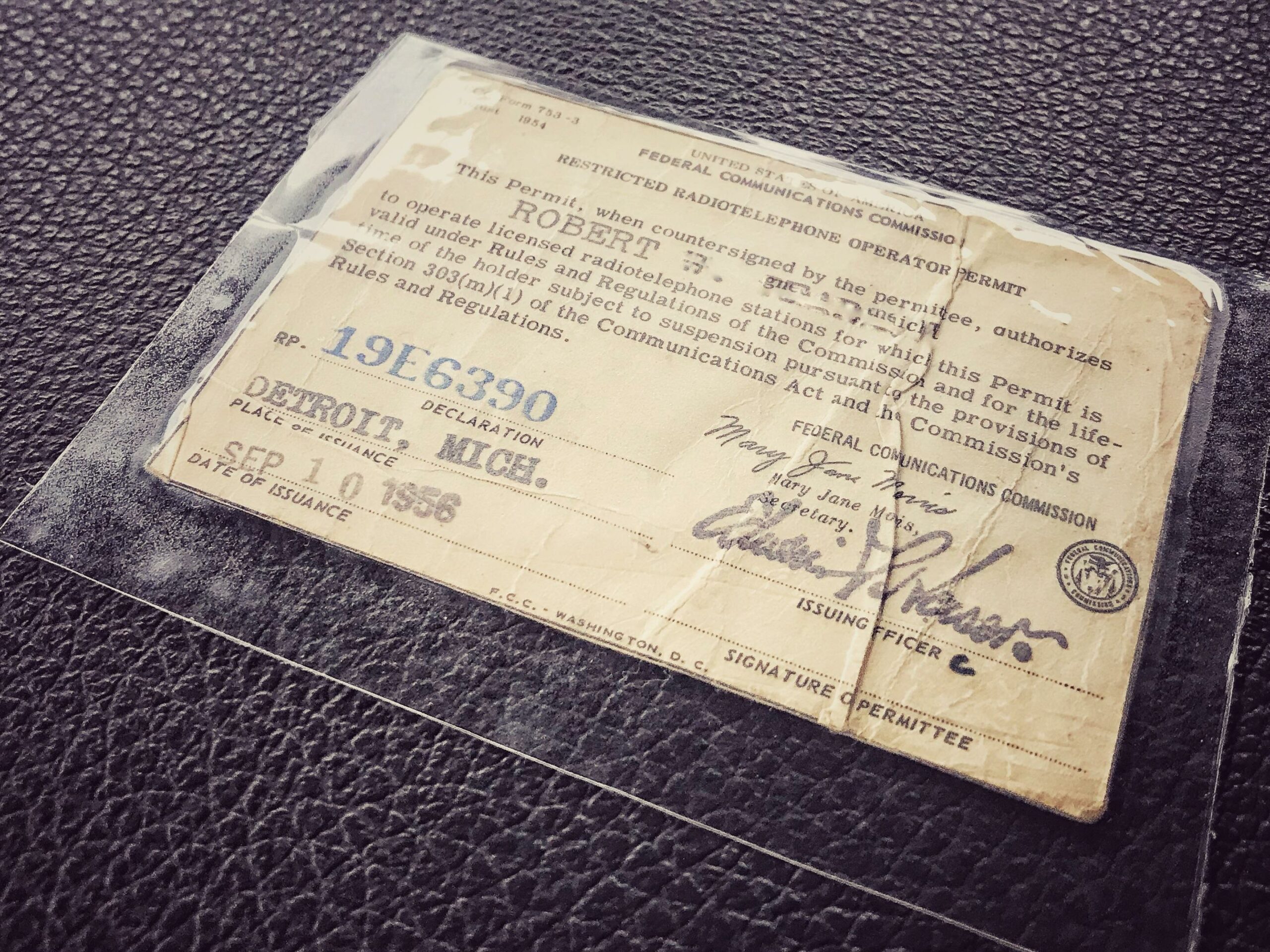
    Conversely, if your primary need is reliable, powerful communication for outdoor adventures, neighborhood watch, or keeping in touch with family at a campsite or festival, then GMRS is likely the ideal choice. GMRS operates on specific UHF frequencies and allows for much more power than consumer FRS walkie-talkies. The license is obtained through a simple $35 FCC application that covers your entire family for 10 years, with no exam required. You can obtain your GMRS license directly from the FCC here. It’s the perfect blend of convenience and capability for practical, local communication.

    Fcclogo

    Once you’ve chosen your path, consider key features. For both services, look for radios with a simple interface, clear displays, and good battery life. For Ham, a solid dual-band (2m/70cm) handheld transceiver (HT) is the standard starter. For GMRS, you’ll want a dedicated GMRS radio that supports repeater use for extended range. Don’t get overwhelmed by complex menus; the best beginner radios balance advanced capabilities with an intuitive design that lets you learn as you go. Explore our selection of two-way radio accessories to enhance your setup.


    Our Top Picks for Ham and GMRS Radios

    Yaesu FT-4XR – Best Beginner Ham Radio

    The Yaesu FT-4XR remains a top contender for 2025. It’s incredibly durable, boasts an impressive battery life, and provides full access to the vital 2-meter and 70-centimeter bands. Its menu system is straightforward, making it less intimidating for newcomers, and it offers exceptional value for its proven performance. Many operators even keep it as a reliable backup.
    Buy on Amazon:

    In the GMRS world, the Retevis RA26 is a standout for beginners seeking simplicity and power. This no-frills handheld is pre-programmed with all GMRS channels and is incredibly easy to operate right out of the box. It features a sturdy build, a bright flashlight, and an emergency alarm, making it perfect for hiking and emergency kits.
    Buy on Amazon:

    Retevis RA26 – Best Beginner GMRS Radio

    Radioddity GM-30 – Beginner-Friendly Advanced Radio

    For those looking to explore advanced features while remaining beginner-friendly, the Radioddity GM-30 is an excellent choice. This radio offers a color display, USB-C charging, and a programmable keypad, allowing you to explore the hobby more deeply. It can be unlocked for Ham radio use (with a proper license) or used as a powerful GMRS radio. Its flexibility makes it perfect for learning frequency programming and digital features.
    Buy on Amazon:


    Whether you choose the expansive, experimental world of Ham radio or the straightforward, powerful utility of GMRS, your journey into wireless communication promises to be rewarding. Start with a reliable model from our picks, get your license, and get ready to connect with the world—and the people in it—in a whole new way. Welcome to the airwaves!

    For more guidance on safe and effective use, always follow two-way radio safety and best practices.


    Amazon Affiliate Disclosure:
    As an Amazon Associate, I earn from qualifying purchases. This means if you click on the links above and make a purchase, I may earn a small commission at no extra cost to you. Thank you for supporting this site!

  • Your Guide to Getting a Ham Radio License: Everything You Need to Know

    Your Guide to Getting a Ham Radio License: Everything You Need to Know

    In an age of instant digital communication via smartphones and the internet, the allure of ham radio might seem like a nostalgic throwback. However, amateur radio is a vibrant, global hobby that connects people through technology, emergency preparedness, and a shared sense of discovery. It’s the original social network — and getting your ham radio license is the key to unlocking a world of long-distance communication, technical experimentation, and community service.

    This guide will demystify the process and set you on the path to earning your official call sign.


    Step 1: Understanding Ham Radio License Classes

    The first step in your ham radio journey is understanding the licensing structure. In the United States, the Federal Communications Commission (FCC) grants three main license classes: Technician, General, and Amateur Extra.

    • The Technician license is the entry point for most new operators. It requires passing a 35-question exam covering basic radio theory, regulations, and operating practices.
    • This license grants full privileges on all VHF and UHF amateur bands (like 2 meters and 70 cm) — perfect for local communication via repeaters — and limited privileges on the HF shortwave bands, allowing for some long-distance contacts.

    Step 2: How to Study for the Ham Radio License Exam

    unnamed

    Preparing for your exam is easier than ever thanks to online resources. The FCC question pools for all license classes are publicly available, and many aspiring hams use dedicated websites and mobile apps that offer practice tests and flashcards.

    Some great study tools include:

    If you prefer a more hands-on approach, check out YouTube channels run by experienced hams (often called Elmers), who break down concepts with visuals and demonstrations. A few weeks of consistent study is typically enough to pass confidently.


    Step 3: Finding and Taking the Exam

    Exams are administered by Volunteer Examiners (VEs) affiliated with organizations like the American Radio Relay League (ARRL).

    You can find testing sessions at local ham radio clubs or community centers, or take an online exam through FCC-approved video conferencing sessions — perfect for testing from home.

    After passing your exam, your new call sign usually appears in the FCC database within a week, officially making you a licensed amateur radio operator!


    Essential Gear for Your New Ham Radio Hobby

    Once you’ve earned your ham radio license and call sign, it’s time to get on the air. Your first setup depends on your goals and license class.

    🎙 Recommended Beginner Radios

    📡 Must-Have Accessories

    As your skills grow, you can upgrade your antenna system or even build your own. The ham radio community is incredibly supportive — don’t hesitate to ask local club members for help or check for used equipment to save money.


    Why Getting a Ham Radio License Is Worth It

    Earning your ham radio license is more than just passing a test — it’s your entry into a lifelong hobby that blends technology, communication, and public service. You’ll join a worldwide network of friendly operators ready to share advice, help in emergencies, and make new friends across continents.

    So study up, get licensed, and get ready to say the words every ham loves to call out:

    “CQ, CQ, CQ — this is [Your New Call Sign]!”


    Amazon Disclosure

    As an Amazon Associate, I earn from qualifying purchases. This means if you click on an affiliate link on this page and make a purchase, I may receive a small commission at no extra cost to you. This helps support the blog and allows me to continue to create free content. Thank you for your support!

  • Preventing Water Damage to Your Antenna and SWR Meter

    Preventing Water Damage to Your Antenna and SWR Meter

    For amateur radio enthusiasts and CB radio operators, maintaining a clear and strong signal is paramount. This relies heavily on two critical pieces of equipment: your antenna and your SWR meter. While we often focus on their technical performance, a silent threat can quietly degrade both: water. Moisture intrusion, particularly at the vulnerable connection points between your antenna mount and your SWR meter, can lead to inaccurate readings, signal loss, and costly equipment failure. Protecting these components isn’t just about performance—it’s about safeguarding your investment and ensuring years of reliable communication.


    Protecting Your Antenna’s Connection Points

    PRX WPT Black 30 Case Tape 3000 2e2e pg

    Your antenna’s connection points are the first line of defense against the elements. The coaxial cable connector at the antenna base is constantly exposed to rain, snow, and humidity. When water seeps into these connections, it initiates corrosion on the metal surfaces. This corrosion creates a high-resistance path that disrupts the RF signal traveling to and from your antenna. The result is decreased performance, higher SWR readings, and potentially permanent damage to the connector itself.

    The most effective and affordable way to prevent this is by using high-quality coax seal tape or butyl rubber tape. This stretchy, malleable tape is specifically designed for weatherproofing electrical connections.

    How to use:

    1. Ensure the connector is hand-tight plus a quarter turn with a wrench for a solid mechanical connection.
    2. Stretch the tape and wrap it tightly around the connector and the cable itself, working up the cable to create a watertight seal.

    Recommended Product:

    For an even more robust solution, consider heat shrink tubing with internal sealant. When heated, it shrinks to form a tight seal while the adhesive melts to encapsulate the connection, blocking moisture. Combine this with a UV-resistant coaxial drip loop, a simple slack loop in the cable installed just before entry into your vehicle or house, which forces water to drip off the bottom of the loop instead of traveling along the cable.

    Recommended Product:


    Safeguarding Your SWR Meter from Moisture

    9 Unusual Ways for Using Silica Gel Packets

    While your antenna is outside, your SWR meter is also highly susceptible to moisture damage, often via the coaxial cables themselves. Water can travel along the inside of the coaxial braid, a phenomenon called “cable wicking,” and seep into your SWR meter, causing inaccurate readings, internal corrosion, and complete meter failure.

    Prevention Tips:

    • Seal all outdoor connections as previously described.
    • Avoid placing a cool SWR meter in a warm, humid environment, which can cause condensation inside the unit.
    • Ensure PL-259 connectors are properly soldered and crimped.
    • Use rubber port cover caps to protect unused meter ports.
    • For meters in enclosed spaces, a small packet of silica gel desiccant helps control humidity.

    Recommended Products:


    A little preventative maintenance goes a long way in radio operation. By properly sealing your antenna’s connection points and managing your SWR meter’s environment, you effectively block moisture. These simple, low-cost steps will ensure your equipment provides accurate readings and optimal performance for years to come. Remember: a dry connection is a clear connection.


    Amazon Affiliate Disclosure

    Some of the links in this article are affiliate links. This means that at no extra cost to you, I may earn a small commission if you click through and make a purchase. This helps support the site and allows me to continue creating content like this. I only recommend products that I believe are high-quality and valuable for my readers.

  • Two-Way Radio Safety: Essential Best Practices Guide

    Two-Way Radio Safety: Essential Best Practices Guide

    In our hyper-connected world of smartphones and Wi-Fi, the humble two-way radio might seem like a relic of the past. However, for countless professionals in security, construction, event management, and outdoor recreation, these devices remain an indispensable and reliable tool for instant communication.

    Yet, like any powerful tool, using a two-way radio comes with its own set of responsibilities and potential hazards. Prioritizing safety isn’t just about following rules; it’s about ensuring clear communication during critical moments and protecting both the user and their equipment. This guide will walk you through the essential best practices for two-way radio safety to ensure your operations are not only effective but, most importantly, secure.


    Prioritizing Health and Environmental Safety

    li ion scaled 1
    Lithium ion industrial high current batteries

    The most immediate aspect of two-way radio safety concerns your personal well-being and the environment you operate in. A primary consideration is the safe handling of batteries, particularly Lithium-Ion (Li-Ion) cells, which are common in modern radios.

    Recommended Gear:

    Always use manufacturer-approved chargers and batteries to prevent overheating, swelling, or, in extreme cases, combustion. Never leave a charging battery unattended for long periods, and store it in a cool, dry place away from metal objects like keys or coins that could cause a short circuit.

    Furthermore, be mindful of your volume settings. Prolonged exposure to high-volume earpieces or speakers can lead to hearing damage, so keep the audio at a comfortable level.

    Your physical surroundings also demand constant attention when using a radio. The golden rule is to never transmit in flammable or explosive environments — such as gas stations, chemical plants, or grain silos. A spark from the circuitry can ignite vapors. Always look for hazard signage.

    ⚠️ Pro Tip: Never use your radio during an electrical storm. Holding metal during lightning activity is risky. If you’re on a construction site or working at heights, secure your radio with a heavy-duty belt clip or lanyard to prevent drops that could injure someone below.

    And finally — don’t forget situational awareness. Just like texting while driving, operating a radio can distract you. If you’re driving, navigating, or handling machinery, stop before using your radio. If you must talk while moving, use a hands-free mic or PTT earpiece to keep both hands free and your focus on the job.


    Essential Best Practices for Secure Operations

    Secure and effective communication is the entire purpose of a two-way radio — and that comes down to disciplined radio etiquette.

    Begin each transmission by clearly identifying yourself and who you’re calling. For example:

    “Unit 2 to Base, come in.”

    Keep your messages short, clear, and direct. Always say “Over” when finished speaking and “Clear” when done with the conversation. This ensures clarity and prevents overlapping transmissions.

    Channel & Privacy Management

    Always use the correct channel for your task. Avoid clogging critical or emergency channels with general talk. If your team operates multiple channels, ensure everyone knows which is which — for instance:

    • Channel 1: Operations
    • Channel 2: Logistics
    • Channel 9: Emergencies Only

    You can also use privacy codes (CTCSS/DCS) to reduce interference from nearby users — though note these aren’t encryption.

    Helpful Accessory: Baofeng UV-5R Dual Band Two-Way Radio — an affordable and versatile handheld great for teams or hobbyists.


    Regular Equipment Checks and Maintenance

    Before every shift or operation, perform a radio check with a colleague. Confirm your signal strength, audio clarity, and battery level. Inspect your radio, antenna, and cables for damage.

    Maintenance Essentials:

    A cracked antenna can compromise performance and even cause RF exposure issues. Make a habit of proper maintenance and storage, and your radio will always perform when you need it most.


    Final Thoughts

    Adopting these two-way radio safety practices isn’t about limiting communication — it’s about empowering it. When every operator follows clear, consistent safety habits, the entire team operates more efficiently and confidently.

    Remember: safety and communication go hand in hand. The better prepared you are, the more reliable your two-way radio becomes as a lifeline — not just a tool.


    ⚠️ Amazon Affiliate Disclosure

    Disclosure: As an Amazon Associate, I earn from qualifying purchases. This means if you click on an affiliate link (such as a radio, antenna, or accessory) and make a purchase, I may receive a small commission at no additional cost to you. This helps support RadioOpBox.com and allows me to continue providing helpful radio safety guides. Thank you for your support!

  • Win a FREE Radio Op Box! ($25 Value)

    Win a FREE Radio Op Box! ($25 Value)

    Win a Free Radio Op Box! (U.S. & Canada Only)

    Get ready to experience your very first Radio Op Box — absolutely free!
    We’re giving one lucky operator a FREE First Op Box packed with exclusive HAM and GMRS radio gear valued at $25.

    It’s our way of saying thank you to the radio community for your ongoing support and enthusiasm!

    c36bb235 a39c 44fd 81cf 6d0b900ce513 2
    Radio Op Box

    🧭 What You’ll Get

    Each Op Box is carefully curated for radio enthusiasts. Inside, you’ll find high-quality gear, accessories, and exclusive items that every operator will love — whether you’re into HAM, GMRS, or both.


    🎟️ How to Enter

    It’s simple — just fill out the raffle form below!
    You can earn bonus entries by sharing the giveaway, signing up, or following our social pages.


    📅 Raffle Details

    Prize: 1 Free First Op Box ($25 value)
    Eligibility: Open to residents of the United States and Canada only
    Shipping: Winner pays shipping cost. Once shipping is paid, we’ll send your box!
    Entry Deadline: Tue 30th Dec 2025
    Winner Announcement: Winner will be announced here and notified by email.


    🎉 Giveaway Winner Announcement! 🎉
    We’re excited to officially announce the winner of our Free Radio Op Box Giveaway! After an amazing response from the community, the lucky winner is Billie. Thank you to everyone who entered, shared, and supported—this giveaway wouldn’t be possible without you. Stay tuned, because we’ve got more drops, builds, and giveaways coming soon!


    No purchase necessary — just your love for radio!

    👉 Enter below for your chance to win!

  • How to Stay Connected During a Government Shutdown: HAM & GMRS Radio Tips

    How to Stay Connected During a Government Shutdown: HAM & GMRS Radio Tips

    A government shutdown can disrupt many services we rely on every day, from public offices to online resources. For HAM and GMRS radio enthusiasts, this is the perfect opportunity to focus on self-reliance, community communication, and improving your radio skills. Here’s a guide on what you can do while the government is shut down to stay connected and make the most of your hobby.

    1. Practice Emergency Communication

    HAM and GMRS radios are invaluable tools during emergencies. A government shutdown may affect disaster response services, making community communication more crucial than ever.

    Test your handhelds (HTs) and mobile radios. Join local HAM nets or GMRS channels to practice traffic handling. Simulate emergency scenarios with friends or local clubs.

    2. Upgrade Your Equipment

    With offices and suppliers slowing down, it’s a good time to tune up your radios and accessories:

    Clean and inspect antennas and coax cables. Upgrade your battery packs or power supplies. Explore digital modes like DMR or FT8 if your setup supports them.

    3. Organize a Local Radio Drill

    Community HAM and GMRS radio drill for emergency preparedness.
    Organize a local radio drill with neighbors to stay prepared.

    Use the downtime to organize a small-scale emergency communication drill in your area:

    Map out local repeaters, simplex frequencies, and backup channels. Practice relaying messages as you would in a real emergency. Encourage neighbors to get involved—GMRS licenses are easy to obtain!

    4. Learn New Skills

    Government websites and services might be limited, but your radio skills don’t have to be.

    Study propagation patterns and antenna theory. Learn to program new repeaters or digital networks. Experiment with APRS (Automatic Packet Reporting System) for tracking and messaging.

    5. Community Service

    Use your radio to help others:

    Check in on neighbors, especially those who are elderly or isolated. Provide updates on local events and community resources. Share knowledge about GMRS and HAM licensing to encourage responsible use.

    6. Stay Informed

    Even during a shutdown, staying informed is key:

    Listen to weather alerts and emergency broadcasts on your radio. Track any local news updates through amateur networks. Keep your communication skills sharp by actively participating in nets and check-ins.

    Affiliate Note: For the best radio gear during downtime, consider checking out Amazon’s HAM & GMRS radios and accessories. As an Amazon Associate, I earn from qualifying purchases at no extra cost to you.

    Conclusion

    A government shutdown doesn’t have to mean disconnection or inactivity. For HAM and GMRS enthusiasts, it’s a unique opportunity to hone skills, improve equipment, and support your local community. Whether you’re practicing emergency drills, learning digital modes, or just upgrading your setup, your radio can keep you connected no matter what’s happening in Washington.

  • The Modern Uses of Ham Radio: Why It’s More Relevant Than Ever

    The Modern Uses of Ham Radio: Why It’s More Relevant Than Ever

    In our hyper-connected world, where a dropped call or Wi-Fi outage can feel like a catastrophe, the idea of amateur radio might seem outdated. A hobby for a bygone era.

    Nothing could be further from the truth. Ham radio is not only alive and well but thriving—a blend of technology, self-reliance, and community that digital platforms can’t replicate. In this guide, we’ll explore the modern uses of ham radio that go far beyond emergency communication, revealing why getting licensed and getting on the air is more rewarding than ever.


    Beyond Emergencies: Everyday Uses for Ham Radio

    While ham radio’s reputation for emergency communication is well-earned, its value extends far beyond crisis scenarios. For many enthusiasts—or “hams”—the hobby begins with local communication through repeaters, small stations that retransmit signals to extend range.

    These repeaters create a dynamic local network where operators chat during commutes, coordinate community events, or gather for nightly “nets.” It’s like social media—without the internet.

    If you’re just starting, a reliable handheld transceiver like the Baofeng UV-5R or Yaesu FT-65R is an affordable entry point to explore local communication and repeaters.


    A Playground for Tinkerers and Technologists

    Ham radio is also a licensed laboratory for experimentation. You can build your own antennas, experiment with digital modes that send text and images, or even bounce radio signals off the moon to talk across the planet (yes, really).

    If you love learning through hands-on projects, consider investing in a DIY antenna kit like the MFJ-1622 Apartment Antenna or a SWR meter to tune your system. These small tools help transform theory into real-world results you can hear and share.


    Ham Radio Meets the Outdoors: SOTA, POTA & More

    Modern ham radio also thrives outdoors through programs like Summits On The Air (SOTA) and Parks On The Air (POTA). Operators take portable setups to mountaintops, beaches, or forest clearings and make contacts worldwide with lightweight gear.

    A great portable option is the Yaesu FT-818ND QRP Transceiver, perfect for backcountry or emergency comms. Combine it with a Bioenno Power LiFePO4 Battery for hours of reliable off-grid operation.

    These adventures turn radio communication into a real-world challenge and global connection—a perfect fusion of tech and exploration.


    Connecting the World Without the Internet

    In an era dominated by Wi-Fi and satellites, ham radio offers something truly radical—complete communication independence. With nothing more than a radio and a power source, operators connect across continents, no cell towers or subscriptions required.

    This ability shines during natural disasters, when hams support organizations like FEMA and the Red Cross by providing emergency communication. When digital infrastructure fails, radio operators keep communities connected.

    The HF (High Frequency) bands also make global communication possible. Using atmospheric propagation, you can talk to a friend in Japan or a teacher in South Africa from your own backyard. Tools like the ICOM IC-7300 HF/50MHz Transceiver make this possible for hobbyists and emergency responders alike.


    A Worldwide Community Like No Other

    More than three million people worldwide hold amateur radio licenses. It’s a global family bound by curiosity, learning, and friendship. Through contests, QSL card exchanges, and awards like the Worked All Zones (WAZ) certificate, hams make meaningful connections that transcend language and geography.

    No algorithm decides who you talk to—it’s pure, human connection through the shared pursuit of discovery and communication.


    Why Ham Radio Still Matters

    Ham radio is not a relic—it’s a renaissance. It blends science, adventure, and friendship in a way few hobbies can. Whether you’re interested in preparedness, technology, or global communication, this timeless craft has a place for you.

    Getting your ham radio license opens a world where you control the signal, the reach, and the connection. Start small, learn continuously, and soon you’ll be a part of something powerful—a citizen of the airwaves.


    🛒 Recommended Starter Gear for New Hams

    ItemDescriptionLink
    Handheld RadioGreat for beginners and local repeatersBaofeng UV-5R
    Mobile/Base RadioPerfect for home or vehicle setupYaesu FT-2980R
    Antenna TunerOptimizes your transmission signalMFJ-941E Versa Tuner
    Power SupplyReliable 13.8V DC power for radiosTekPower TP30SWII
    Portable BatteryIdeal for field or emergency useBioenno Power Battery

    📢 Amazon Affiliate Disclosure

    As an Amazon Associate, RadioOpBox.com earns from qualifying purchases. This comes at no extra cost to you and helps support future content for radio enthusiasts.

  • How to Pair Your AnyTone 878UVII Plus Bluetooth PTT Button

    How to Pair Your AnyTone 878UVII Plus Bluetooth PTT Button

    Stepping up your amateur radio game with the AnyTone 878UVII Plus often involves going hands-free, and the official Bluetooth PTT (Push-To-Talk) button is a fantastic accessory for exactly that. Pairing it might seem daunting if you’re new to Bluetooth peripherals, but the process is straightforward once you know the steps. This guide will walk you through preparing your radio and successfully connecting your Bluetooth PTT button, freeing you from cables and enhancing your operating experience.

    Preparing Your Radio for Bluetooth Pairing

    Before you can even think about connecting the PTT button itself, your AnyTone 878UVII Plus must be properly configured to communicate via Bluetooth. This involves a few crucial steps within the radio’s menu system that are essential for a successful pairing. First, ensure your radio is fully charged or connected to a power source, as a low battery can cause unpredictable behavior during the Bluetooth setup process. Navigate to the main menu by pressing the MENU button, then scroll to and select the “Bluetooth” option to enter the Bluetooth settings submenu.

    Inside the Bluetooth settings, you will find several options that need your attention. The most important setting to activate is “BT Enable”; make sure this is set to “On” to power up the radio’s Bluetooth module. While you’re here, it’s also a good idea to set “BT Audio” to “On” if you plan to use a Bluetooth headset for audio in the future. Take a moment to note the “BT Name” of your radio, as this is the identifier your PTT button will look for during the pairing process, ensuring you connect to the correct device in a crowded RF environment.

    Once the Bluetooth functionality is enabled, your radio is now discoverable and ready to accept incoming pairing requests from accessories. It’s recommended to keep the radio on this settings screen or return to the main standby display before you begin the pairing process with your PTT button. Having the radio prepared in this way creates a stable and ready state, minimizing potential issues when you power on your Bluetooth PTT button and initiate its search mode. Proper preparation here is the key to a smooth and frustration-free connection.

    Connecting Your Bluetooth PTT Button

    anytone replacement bluetooth ptt button for anytone radios equipped with bluetooth option 9105 580

    With your radio prepped and broadcasting its Bluetooth signal, it’s time to focus on the accessory. Start by ensuring your AnyTone Bluetooth PTT Button is fully charged to avoid it powering down mid-pairing. To initiate its pairing mode, press and hold the large PTT button itself for approximately five seconds until you see the LED indicator light begin to flash rapidly in red and blue. This fast alternating flash is the universal sign that a Bluetooth device is in pairing mode and actively searching for a host device to connect with.

    Now, direct your attention back to your AnyTone 878UVII Plus radio. The radio’s Bluetooth module should automatically detect the nearby PTT button. You will see a prompt on the radio’s display showing the model of the PTT button (often something like “BT PTT”) and asking for confirmation to pair. Use the radio’s keypad or rotary knob to select “Yes” or “OK” to confirm and establish the connection. This is a one-time process; once paired, the two devices should automatically reconnect whenever they are powered on and in range.

    A successful connection is confirmed when the LED on your Bluetooth PTT button changes from a flashing pattern to a solid blue light. This solid blue indicator signifies a stable and active link between the button and your radio. To test the setup, simply press the PTT button—you should hear the familiar click of the radio transmitting. If you have a friend on a local frequency, give them a quick call to ensure everything is working perfectly. You are now free to clip the button to your jacket, bag, or bike handlebars for convenient, cable-free operation.

    And that’s all there is to it! Pairing your Bluetooth PTT button with your AnyTone 878UVII Plus is a simple process that dramatically increases your operational flexibility. Whether you’re hiking, mobile in a vehicle, or just moving around the shack, this wireless setup provides fantastic convenience. Now that you’re free from wires, get out there, make some contacts, and enjoy the full potential of your capable radio setup.


    Take your communication to the next level with the AnyTone 878UVII Plus — the ultimate dual-band radio for serious operators and beginners alike. Reliable, powerful, and feature-packed.


    Disclosure: Some of the links in this article are affiliate links. This means that, at zero cost to you, I may earn a small commission if you click through the link and make a purchase. This helps support the site and allows me to continue to make guides like this. Thank you for the support!

  • Essential Accessories for Your HAM and GMRS Radio Setup

    Essential Accessories for Your HAM and GMRS Radio Setup

    10 Must-Have Accessories for HAM and GMRS Radios

    Stepping into the world of HAM and GMRS radios unlocks incredible potential for communication, from casual chats with local friends to reaching across continents and providing critical support during emergencies. However, the experience delivered by your radio is only as good as the accessories that support it. A bare radio is a starting point, not a finished toolkit. To truly unlock performance, reliability, and convenience, you need to equip yourself with the right gear.

    Here are the top 10 must-have HAM and GMRS radio accessories to build a robust and effective setup.


    1. High-Performance Antennas

    41Tdqm5jnL. AC SX679

    The single most impactful upgrade for any radio is its antenna. The small rubber “duck” antenna that comes with most handhelds is built for portability, not performance. Upgrading to a higher-gain aftermarket antenna can dramatically improve both transmit and receive capabilities.

    👉 Recommended: Nagoya NA-771 Dual Band Antenna


    2. Quality Coaxial Cable

    41G8mcNFdAL. SX522

    Even the best antenna is useless with poor-quality coax. Using low-loss coaxial cable like LMR-400 or RG-8X ensures maximum power transfer and minimal signal loss.

    👉 Recommended: LMR-400 Coaxial Cable


    3. Mobile Mounting Kits

    61TmV4BVFQL. AC SY679

    For GMRS and HAM mobile radios, a proper mounting kit keeps your setup stable and safe.

    👉 Recommended: Lido LM-300 Universal Radio Mount


    4. External Microphones and Speaker Mics

    71dmg5QDlhL. AC SL1500 300x429 1

    Using an external mic or speaker mic not only improves audio clarity but also adds convenience when operating on the go.

    👉 Recommended: BTECH QHM22 Speaker Mic


    5. Power Distribution Boxes

    4005

    For mobile setups, a dedicated power distribution box wired directly to your vehicle’s battery ensures clean, stable power without draining a lighter socket.

    👉 Recommended: RIGrunner 4005 Power Distribution


    6. Portable Battery Packs

    61W71ga0g L

    For off-grid and field operations, a LiFePO4 battery pack can run a 50-watt mobile unit for hours. Pair it with a solar panel for indefinite operation.

    👉 Recommended: Bioenno LiFePO4 Battery Pack


    7. Solar Charging Solutions

    61yXMVnl07L. AC SX679

    (Insert Image: folding solar panel charging radios outdoors)

    A portable solar panel ensures your radios stay powered during emergencies or long outdoor trips.

    👉 Recommended: Renogy 100W Solar Panel Kit


    8. Noise-Cancelling Headsets

    914W2oi686L. AC SY879

    Clear communication is critical. A noise-cancelling headset cuts through background static and outdoor noise, making your transmissions crystal clear.

    👉 Recommended: Koss Noise Reduction Headset


    9. Protective Cases and Go-Bags

    61eV9VfgeUL. AC SX679

    Whether you’re hiking with a GMRS radio or running a HAM emergency drill, a padded case or tactical go-bag protects your investment.

    👉 Recommended: MAXTOP Tactical Sling Bag


    10. Backup Power at Home

    smt1500 1 1 1

    A reliable backup power system ensures your home station stays online during outages. Even a simple UPS or deep-cycle battery bank can keep you transmitting when the grid is down.

    👉 Recommended: APC UPS Battery Backup


    Final Thoughts

    Building a capable and resilient radio station setup is a journey of incremental upgrades. By investing in the right accessories—from antennas to power solutions—you transform a simple radio into a powerful communication tool.

    Whether you’re a HAM operator experimenting with new frequencies or a GMRS user ensuring your family stays connected, the right gear enhances your range, clarity, and reliability.

    The goal is simple: not just to talk, but to be heard—clearly and consistently—no matter the circumstances.


    Amazon Affiliate Disclosure

    As an Amazon Associate, RadioOpBox.com earns from qualifying purchases. This does not affect the price you pay and helps support our mission to provide radio operators with valuable guides and resources.