- What’s in the Box
- Charge the Radio
- Basic Controls
- Frequency vs Channel Mode
- Enter a Frequency
- Squelch & Power
- Using Repeaters
- Programming with CHIRP
- Best Antenna Upgrades
- Frequently Asked Questions
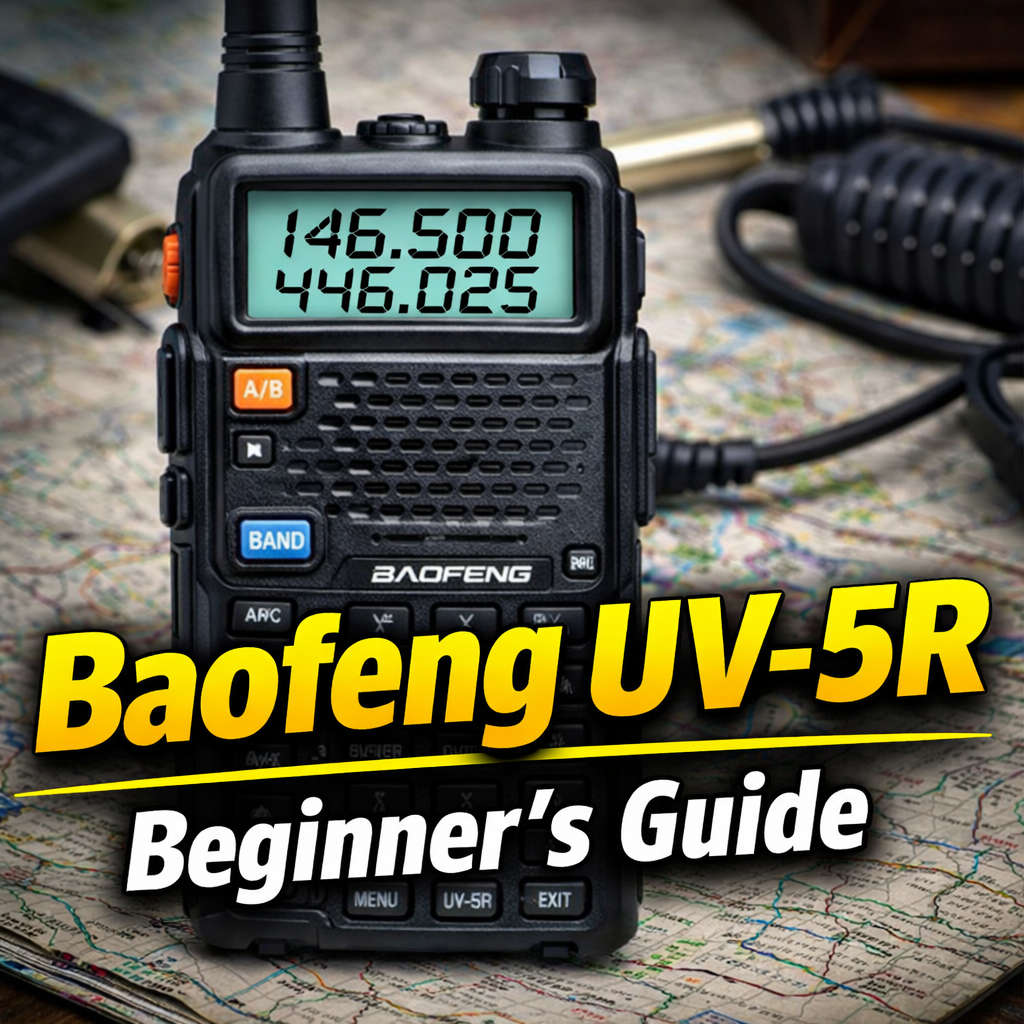
If you just unboxed a Baofeng UV-5R and you’re wondering how to use your new Baofeng UV-5R without getting overwhelmed, you’re in the right place. This guide is written for real beginners—plain English, no gatekeeping, and no fluff.
I’ve helped hundreds of new operators get started, and the UV-5R remains one of the most popular beginner radios because it’s affordable, capable, and incredibly flexible once you understand the basics.
What’s in the Box
- Baofeng UV-5R handheld radio
- Rechargeable battery
- Stock rubber antenna
- Basic manual (usually very limited)
Pro tip: Keep the box—it’s useful for storage and resale later.
Step 1: Charge the Radio Fully
- Attach the battery until it clicks
- Place the radio or battery in the charger
- Red light = charging, green light = fully charged
A full charge takes about 3–4 hours.
Step 2: Power On & Basic Controls
Turn the radio on by rotating the top volume knob clockwise.
- PTT: Push-to-Talk (left side)
- VFO/MR: Frequency Mode / Channel Mode
- MENU: Access settings
- EXIT: Go back
- ▲ / ▼: Navigate menus & frequencies
When learning how to use your new Baofeng UV-5R, stay in VFO (Frequency) Mode.
Step 3: Frequency Mode vs Channel Mode
- VFO Mode: Manual frequency entry (best for beginners)
- MR Mode: Saved channels
Toggle modes using the VFO/MR button.
Step 4: Enter a Frequency Manually
- Ensure you’re in VFO Mode
- Enter a frequency (example:
146.520) - Press PTT to transmit only if licensed
Important: Transmitting on amateur frequencies requires an FCC license in the U.S.
Step 5: Adjust Squelch & Power
Squelch
MENU → SQL → Set to 2–5 (start at 3)
Transmit Power
MENU → TXP → Use LOW whenever possible
These settings are essential when learning how to use your new Baofeng UV-5R effectively.
Step 6: Using Local Repeaters
Repeaters extend your range dramatically. You’ll need:
- Repeater frequency
- Offset (+ or −)
- CTCSS/DCS tone (if required)
Most beginners program repeaters using software.
Step 7: Programming the UV-5R (Recommended)
The easiest way is using CHIRP programming software.
- Computer
- USB programming cable
Recommended accessory:
Baofeng USB Programming Cable
Internal Resource:
Beginner HAM Radio Gear – Radio Op Box
Step 8: Upgrade the Antenna
The stock antenna works, but upgrading can significantly improve performance.
- Nagoya NA-771
- Signal Stick
Nagoya NA-771 Dual-Band Antenna
Step 9: Safety, Legal & Best Practices
- Do not transmit without a license
- Always identify with your callsign
- Avoid emergency frequencies
- Use the lowest power needed
How to Get Your HAM Radio License (Beginner Guide)
Common Beginner Mistakes
- Wrong band selection
- Using high power unnecessarily
- Missing repeater offsets
- Expecting long range without repeaters
Frequently Asked Questions
Do I need a license to use a Baofeng UV-5R?
Yes. In the United States, transmitting on amateur radio frequencies requires an FCC amateur radio license. Listening does not require a license.
Is the Baofeng UV-5R legal?
The Baofeng UV-5R is legal to own. Proper use depends on operating only on frequencies you are licensed for and following FCC rules.
What range can I expect from a Baofeng UV-5R?
Range varies by terrain and setup. Expect 1–5 miles simplex, and much farther when using repeaters.
Is the UV-5R good for beginners?
Yes. It’s one of the most popular beginner radios because it’s affordable and widely supported with tutorials and accessories.
Authoritative Reference:
FCC Amateur Radio Service Overview
Final Thoughts
The Baofeng UV-5R is one of the best beginner radios ever made. Once you understand how to use your new Baofeng UV-5R, it becomes an incredibly useful tool for learning radio, emergency communications, and local operation.
Want a ready-to-go setup?
Visit RadioOpBox.com — built by operators, not influencers.
Affiliate Disclosure
Some links in this article may be affiliate links. We may earn a small commission at no extra cost to you if you make a purchase through these links. We only recommend gear we use or trust. This helps support RadioOpBox.com and keeps our educational content free.

Leave a Reply