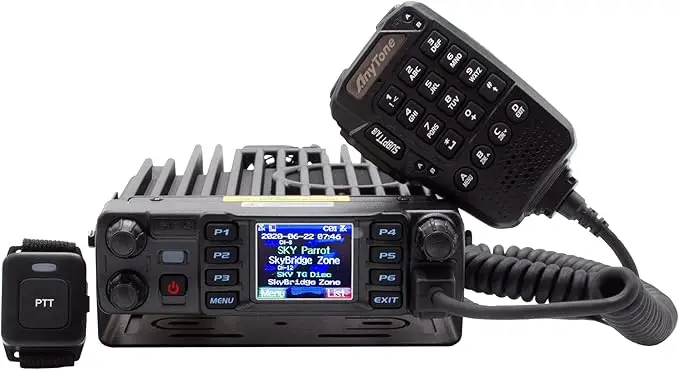
Description

Main Features

50W Power Output
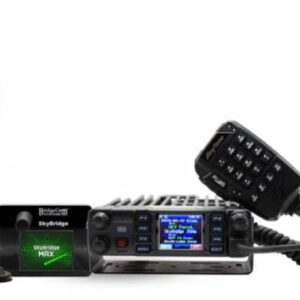
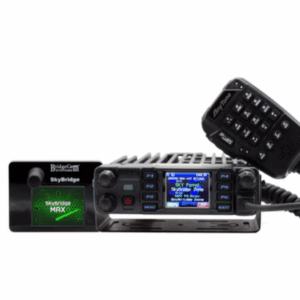
The AnyTone AT-D578UVIIIPLUS Mobile Radio is a powerful radio capable of reaching repeaters too far away for your current rig to hit.

APRS Transmit & Receive
This versatile mobile radio is capable of APRS Data Location Services Transmit & Receive for casual or professional use cases.

Airband Receive
This radio allows you to monitor air traffic control towers and even airplanes in the sky so you can stay on top of what’s happening in the skies above.

500,000 Contact List Capacity
You will never run out of room for all the new contacts you will soon be making thanks to a massive 500,000 contact list capacity. (Many radios in this space allow for up to only 200,000.)

Make New Contacts From Farther Away
The AnyTone AT-D578UVIIIPLUS Mobile Radio boasts a powerful 50W output that allows you to expand your range further than ever before. This mobile is a fantastic choice if you’re at home looking to hit a repeater that’s just out of range, or if you’re on-the-go and want to make as many contacts as you possibly can.

Durable & Tactile
The AnyTone AT-D578UVIIIPLUS Mobile has an array of features that make it great in form and function. The speaker mic that comes with the mobile radio feels great to use, comfortably fitting in the palm of your hand for ease of use and convenient communication. The buttons are firm to the press in a way that speaks to the quality of its craftmanship.


5-Star Dedicated Customer Support
Our dedicated in-house customer support and tech team are available Mon-Fri, 8am-5pm CST to assist you with any questions you might have.
Guaranteed Success From A Company That Cares About You
No other radio vendor offers the same level of support and education about your radio
What makes BridgeCom Systems stand out is our dedication to our customers. With your purchase of a radio, we provide you FREE access to BridgeCom University, an online knowledge base full of relevant information to the radio, hotspot, repeater or transceiver that you own. Our AnyTone 578 Mobile Course includes topics like:
- An AnyTone 578 Tri-Band Mobile Radio Quick Start Guide so you can start using your mobile radio right away
- How to Add or Remove a Digital Contact on the AnyTone 578 Mobile Radio so you can curate your contact list as you see fit
- How to Add Weather Channels to the AnyTone 578 Mobile Radio so you can participate in casual or volunteer weather monitoring
- How To Quickly Install Software for the AnyTone 578 Mobile Radio so you don’t have to spend time figuring it out yourself
- A Complete Guide to Updating the AnyTone 578 Mobile Firmware so you can keep your radio up to date without complications.


%205W%20GPS,%20Bluetooth,%20App%20Programmable%20Dual%20Band%20Radio&url=https://radioopbox.com/product/btech-uv-pro-uhf-vhf-5w-gps-bluetooth-app-programmable-dual-band-radio/&media=https://radioopbox.com/wp-content/uploads/2025/10/91MVX7244L_AC_SL1500_-300x384-1.webp)
Reviews
There are no reviews yet.